Don't miss your chance to take the Fabric Data Engineer (DP-600) exam for FREE! Find out how by attending the DP-600 session on April 23rd (pacific time), live or on-demand.
Learn moreJoin the FabCon + SQLCon recap series. Up next: Power BI, Real-Time Intelligence, IQ and AI, and Data Factory take center stage. All sessions are available on-demand after the live show. Register now
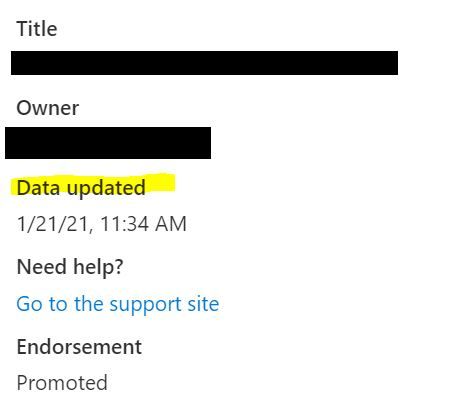
If a scheduled refresh fails, the "Data Updated" timestamp in the top of the new look interface still shows the timestamp of the last run. If it failed, the data was not actually updated, so the timestamp should not update - this gives false information.
I have the same problem. Data Updated timestamp changes every time I republish a dashboard (which is not only in case when I load new data). It confuses the users so I embedded my own timestamp information in the report. Would it be possible to hide this default timestamp details from the users in the app view?
Same here.
We would like to see the timestamp for the last completed refresh.
(Power BI Service: Version13.0.10537.179)
Check out the April 2026 Power BI update to learn about new features.
If you have recently started exploring Fabric, we'd love to hear how it's going. Your feedback can help with product improvements.
A new Power BI DataViz World Championship is coming this June! Don't miss out on submitting your entry.
| User | Count |
|---|---|
| 3 | |
| 3 | |
| 2 | |
| 2 | |
| 1 |
| User | Count |
|---|---|
| 6 | |
| 3 | |
| 3 | |
| 3 | |
| 2 |