We've captured the moments from FabCon & SQLCon that everyone is talking about, and we are bringing them to the community, live and on-demand. Starts on April 14th. Register now
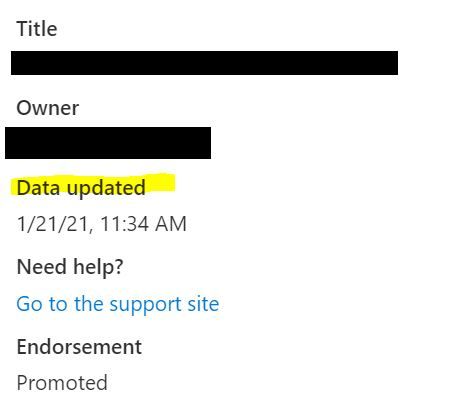
If a scheduled refresh fails, the "Data Updated" timestamp in the top of the new look interface still shows the timestamp of the last run. If it failed, the data was not actually updated, so the timestamp should not update - this gives false information.
I have the same problem. Data Updated timestamp changes every time I republish a dashboard (which is not only in case when I load new data). It confuses the users so I embedded my own timestamp information in the report. Would it be possible to hide this default timestamp details from the users in the app view?
Same here.
We would like to see the timestamp for the last completed refresh.
(Power BI Service: Version13.0.10537.179)
If you have recently started exploring Fabric, we'd love to hear how it's going. Your feedback can help with product improvements.
A new Power BI DataViz World Championship is coming this June! Don't miss out on submitting your entry.
Share feedback directly with Fabric product managers, participate in targeted research studies and influence the Fabric roadmap.
| User | Count |
|---|---|
| 2 | |
| 2 | |
| 1 | |
| 1 | |
| 1 |
| User | Count |
|---|---|
| 3 | |
| 2 | |
| 2 | |
| 2 | |
| 2 |