This is best Fabric, Power BI, SQL and AI community event. How do we know? The last event sold out! Save €200 with code FABCMTY200.
Register nowA new Data Days event is coming soon! This time we’re going bigger than ever. Fabric, Power BI, SQL, AI and more. Don't miss out.
Hello,
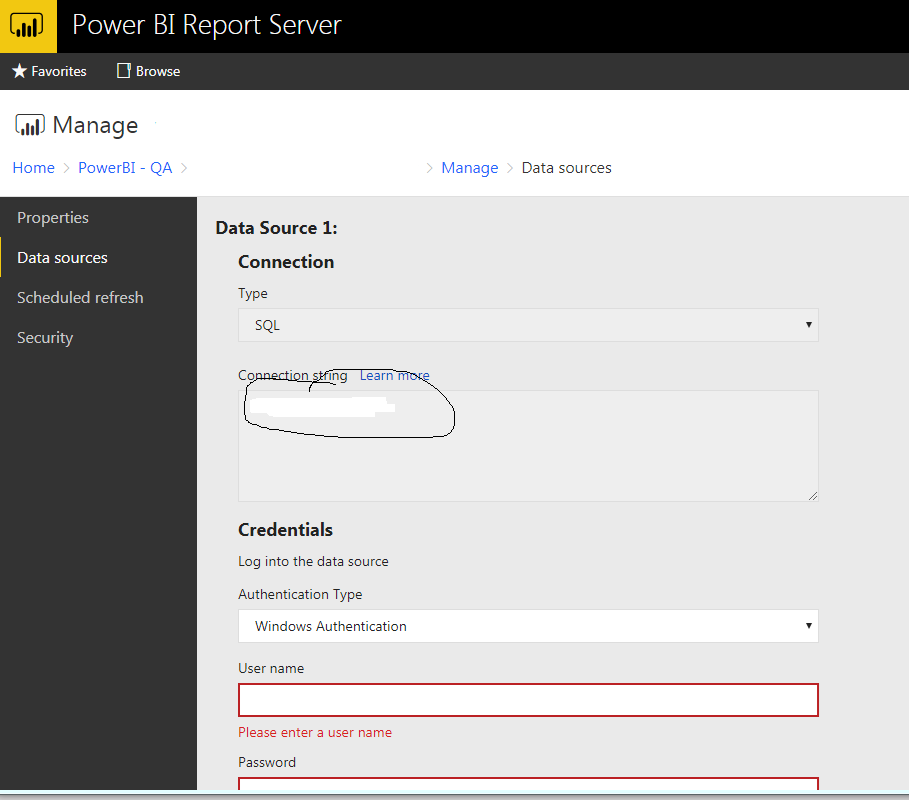
How to change the connection string dynamically based on our environemnt like QA and prod
Not currently, it is only editable within the PBI desktop client. Ability to change this in the server is on the roadmap to support in future versions. You *could* hack around this by calling the REST API to download the file and edit the file directly in script + republish.
You can change the connection string at the ReportServer DB level by updating the entity - DataModelDataSource , which has the connection string in the encrypted format.
It's simple get the conn. string from this table that you want to update and replace the existing one with the new one.
Cheers,
Hari T
@Anonymous "in encrypted format"... can you please explain how you decrypted this?
Sign up to receive a private message when registration opens and key events begin.
If you have recently started exploring Fabric, we'd love to hear how it's going. Your feedback can help with product improvements.
| User | Count |
|---|---|
| 2 | |
| 2 | |
| 2 | |
| 1 | |
| 1 |