Get certified for free when you join Fabric Data Days 2026 and dive into Fabric, Power BI, SQL, AI, and other essential data skills.
Join nowTry your skills in the Power BI Dataviz World Championship! Round one ends June 26. Join now
Hello,
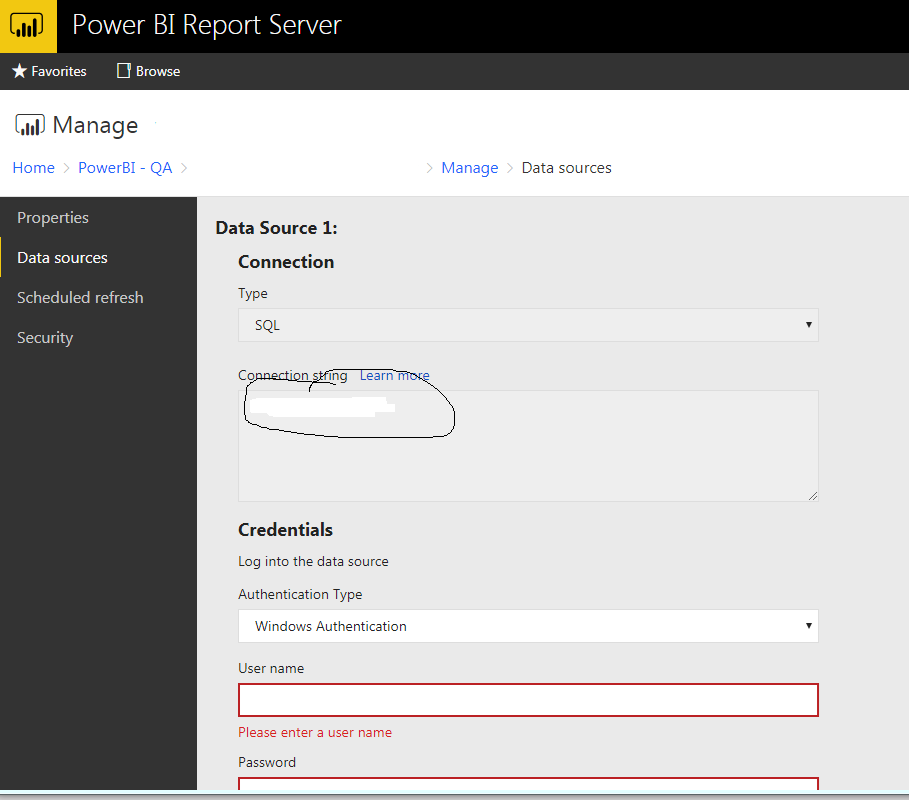
How to change the connection string dynamically based on our environemnt like QA and prod
Not currently, it is only editable within the PBI desktop client. Ability to change this in the server is on the roadmap to support in future versions. You *could* hack around this by calling the REST API to download the file and edit the file directly in script + republish.
You can change the connection string at the ReportServer DB level by updating the entity - DataModelDataSource , which has the connection string in the encrypted format.
It's simple get the conn. string from this table that you want to update and replace the existing one with the new one.
Cheers,
Hari T
@Anonymous "in encrypted format"... can you please explain how you decrypted this?
| User | Count |
|---|---|
| 3 | |
| 1 | |
| 1 | |
| 1 | |
| 1 |