Get certified for free when you join Fabric Data Days 2026 and dive into Fabric, Power BI, SQL, AI, and other essential data skills.
Join nowJuly 7 - July 17 | Round 2 of the Power BI Dataviz World Championships. Don't miss your chance! Learn more
Hi,
I am trying to extract data from this web page - https://www.msn.com/en-gb/sport/football/premier-league/brighton-and-hove-albion-v-stoke-city/game-c...
I want to find data from the 'summary' tab, but I am having no luck.
Is this data extractable using Power BI?
Thanks
@jp1444,
This is not an issue of Power BI Desktop, it is related to the design of your webpage.
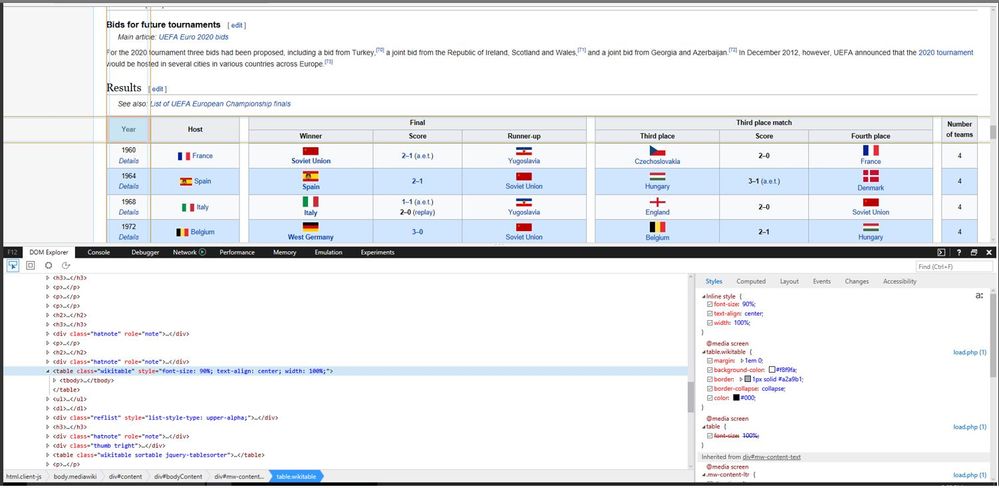
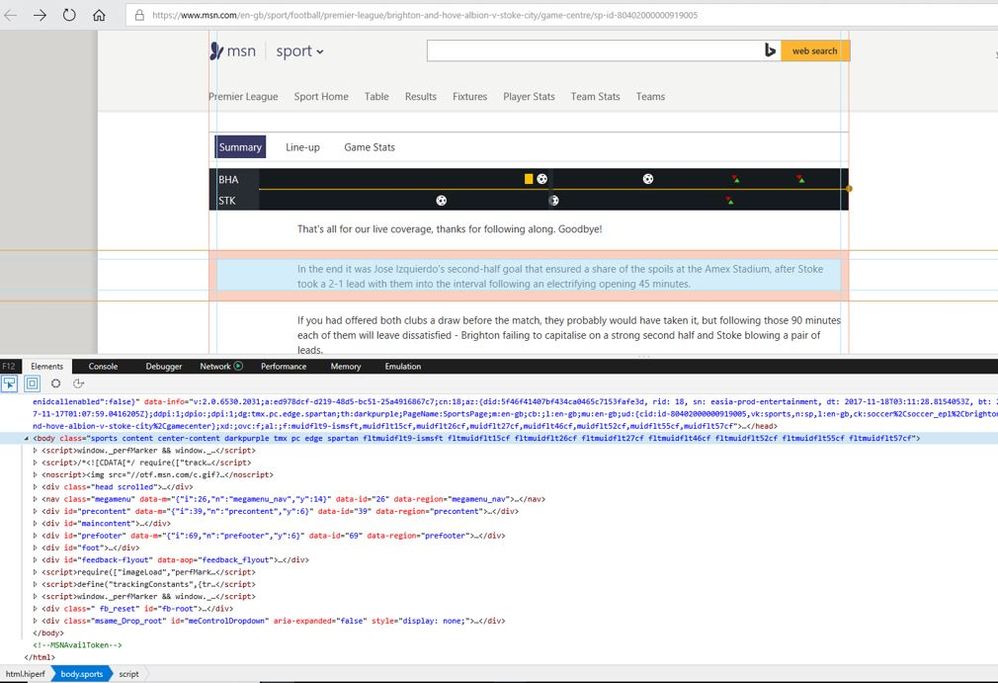
As per this official article, Power BI Desktop can import data from tables on a web page. However, in your scenario, the data in the web page is not stored in a table. You can compare the elements of web page(http://en.wikipedia.org/wiki/UEFA_European_Football_Championship) introduced in official article and your web page(https://www.msn.com/en-gb/sport/football/premier-league/brighton-and-hove-albion-v-stoke-city/game-c... ).
You can contact the support of your web site about how to retrieve data.
Regards,
Lydia
Thanks for the help!
ANother quick question -
Do you know a way I can extract both line ups from a page like this -
http://www.espn.co.uk/football/lineups?gameId=480810
Atm it is only selecting the home team line up, how can I get the away line up as well?
Thanks!!
@jp1444,
You can check that the data in this page is not stored in table format via F12, it is not possible to get data by directly entering the web page URL in Power BI.
Regards,
Lydia
Join us in Barcelona for FabCon and SQLCon, the Fabric, Power BI, SQL, and AI community event. Save €200 with code FABCMTY200.
Join Data Days 2026: 60 days of free live/on-demand sessions, challenges, study groups, and certification opportunities.