



Get certified for free when you join Fabric Data Days 2026 and dive into Fabric, Power BI, SQL, AI, and other essential data skills.
Join nowJuly 28 - August 9 | Final Round of the Power BI Dataviz World Championships. This is your chance. Learn more
Guys, I need your support please, I need to remove duplicates selecting 4 columns based on 5th column value condicationally:
The current script carries out removing the duplications of 4 selected columns:
= Table.Distinct(#"Divided Column", {"HR ID", "Employee Name", "Exception Duration", "Date"})
Now, how to set this in condition if "Exception Type" = "Daily"
Solved! Go to Solution.
@Anonymous
You may check the steps in the pbix
Best regards
Paul Zheng _ Community Support Team
If this post helps, please Accept it as the solution to help the other members find it more quickly.
@Anonymous
Can you share/paste some sample data and show the expected output from Excel to correctly understand your question.?
⭕ Subscribe and learn Power BI from these videos
⚪ Website ⚪ LinkedIn ⚪ PBI User Group
Current dataset (2nd image)
Desired output (1st image)
I'm looking at your top image as the desired output. It seems to include duplicates (lines 2 and 3) as well as an Exception type of Monthly. I thought you wanted those removed? Can you clarify?
@Anonymous
Do the following steps:
1. Duplicate your source query
2. Filter on one with Exception Type = Daily
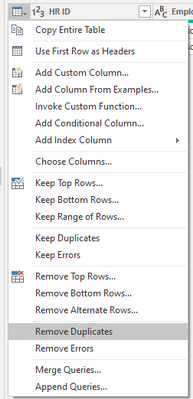
3. Apply Remove Duplicates on the table
4. On the other copy of the query, filter out daily
5. Append as New query
⭕ Subscribe and learn Power BI from these videos
⚪ Website ⚪ LinkedIn ⚪ PBI User Group
Join us in Barcelona for FabCon and SQLCon, the Fabric, Power BI, SQL, and AI community event. Save €200 with code FABCMTY200.
If you love stickers, then you will definitely want to check out our community sticker challenge, Barcelona edition!
Check out the July 2026 Power BI update to learn about new features.