This is best Fabric, Power BI, SQL and AI community event. How do we know? The last event sold out! Save €200 with code FABCMTY200.
Register nowA new Data Days event is coming soon! This time we’re going bigger than ever. Fabric, Power BI, SQL, AI and more. Don't miss out.
Hi folks,
For months now, I've been the only person who has been manually extracting data and placing it in our SharePoint folder. Anytime I'm asked to refresh data, I extract from tool, save in SharePoint folder under same name, then open Power Query and refresh. I've had no issues doing this.
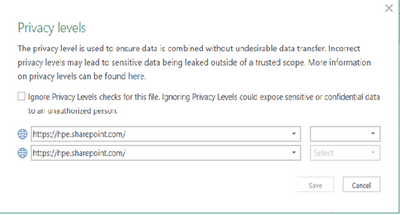
Recently, we onboarded a new team member who also wants to refresh this data. When he tries to do so, he gets errors regarding privacy levels/etc. Last time he tried, this window came up asking about the Privacy levels and he hit "Ignore Privacy Levels", but still has the same issue.
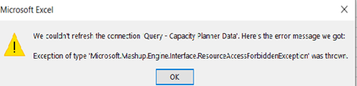
Here is the error that comes up on his end:
He has access to this folder in SharePoint. Does anyone have any suggestions?
Solved! Go to Solution.
@Anonymous , refer if these two can help
Thank you so much. This is great.
Check out the May 2026 Power BI update to learn about new features.
Sign up to receive a private message when registration opens and key events begin.
If you have recently started exploring Fabric, we'd love to hear how it's going. Your feedback can help with product improvements.