Learn from the best! Meet the four finalists headed to the FINALS of the Power BI Dataviz World Championships! Register now
Hi,
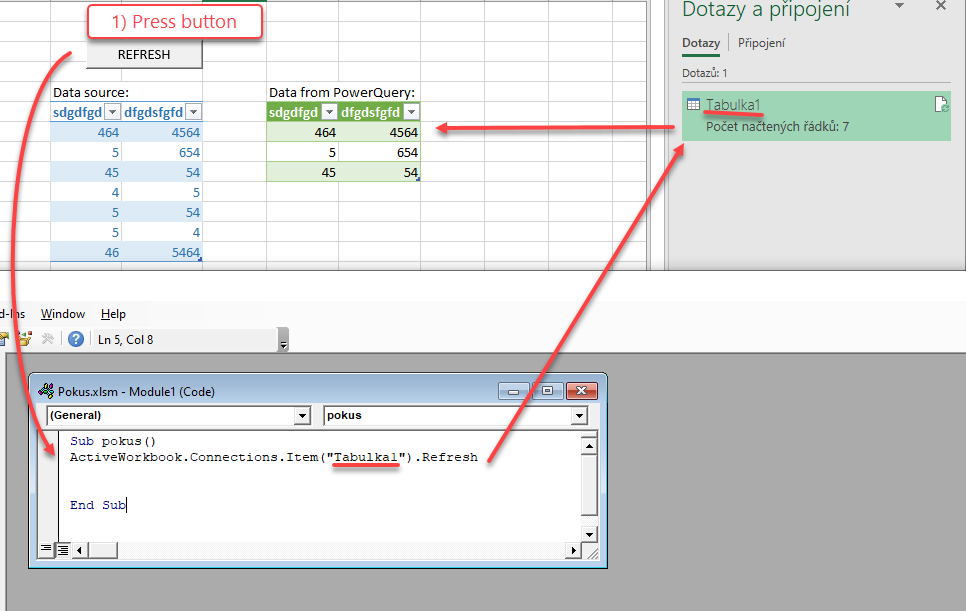
I have a several queries from PowerQuery, and I need to refresh only specific one (by click on button).
I tried it by VBA but I don´t have a success:(.
Can you help me with correct VBA code?
Below you can see example, and link for download an experimental file.
https://uloz.to/tam/cd98e9e4-345d-41bc-b0b4-b8459aa86afc
Honza
Solved! Go to Solution.
Corect syntax for refresh one specific Query by VBA is:
SUB Macro_Name()
ThisWorkbook.Connections("Query – Name of Query").Refresh
End Sub
Some options for people who read this latter:
'Delete or update queries
' 1 - alternative to refresh:
ThisWorkbook.Queries("name_of_query").Refresh
' 2 - alternative to delete:
ThisWorkbook.Queries("name_of_query").Delete
' 3 - alternative to loop through queries and take actions after finding:
For Each qr In ThisWorkbook.Queries
If qr.Name = "name_of_query" Then
qr.Delete
End If
Next qr
' The end.
Hi,
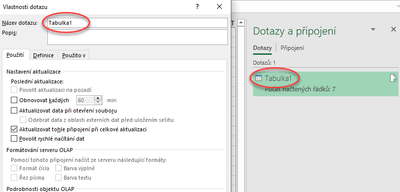
no a have a correct Name of query:
Honza
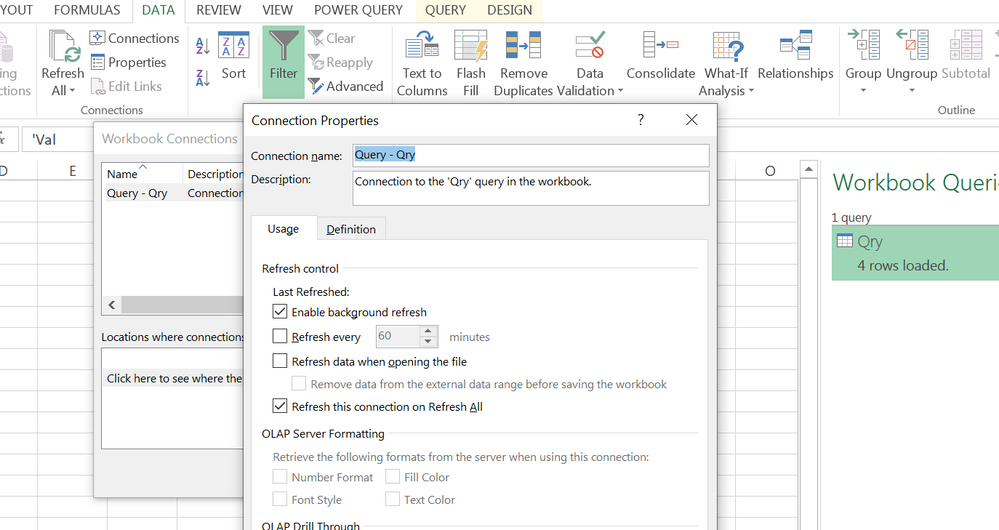
Check out "DATA - Connections" for its real name in the file,
or use such a snippet to traverse the whole Connections set,
Sub DisplayNames()
For Each qry In ThisWorkbook.Connections
Debug.Print qry.Name
Next qry
End Sub
| Thanks to the great efforts by MS engineers to simplify syntax of DAX! Most beginners are SUCCESSFULLY MISLED to think that they could easily master DAX; but it turns out that the intricacy of the most frequently used RANKX() is still way beyond their comprehension! |
DAX is simple, but NOT EASY! |
Corect syntax for refresh one specific Query by VBA is:
SUB Macro_Name()
ThisWorkbook.Connections("Query – Name of Query").Refresh
End Sub
Hi Kopec,
I am using your code and replace the query name but keep getting the following error. Would you please enlighten me, thank you
Run-time error '9'"
Subscript out of range
Update to my own question:
I have found using a wrong variable name and that's what Error '9' is telling me. You may use the following code to run the list all of your connections/queries and I simply missed we need to add "Query - " in front of your query name, i.e. query name as QueryReport then it should be "Query - QueryReport". Hope this helps anyone with the same problem, thank you
Sub ListAllQueriesandConnection()
Dim conn As WorkbookConnection
For Each conn In ActiveWorkbook.Connections
Debug.Print conn.Name
Next
End Sub
| User | Count |
|---|---|
| 15 | |
| 8 | |
| 6 | |
| 5 | |
| 5 |