We've captured the moments from FabCon & SQLCon that everyone is talking about, and we are bringing them to the community, live and on-demand. Starts on April 14th. Register now
I want to know dax syntax for calculating job range in PowerBI . I have highlighted the column that is the answer should I need in PowerBI @Vijay_A_Verma
Solved! Go to Solution.
Hi @AtchayaP ,
It's the Power Query forum, we use the M language instead of the DAX language in the Power Query Editor.
They are different, you can refer to Differences between the M Language and DAX in Power BI.
The screenshot you provided is in the Power Query editor.
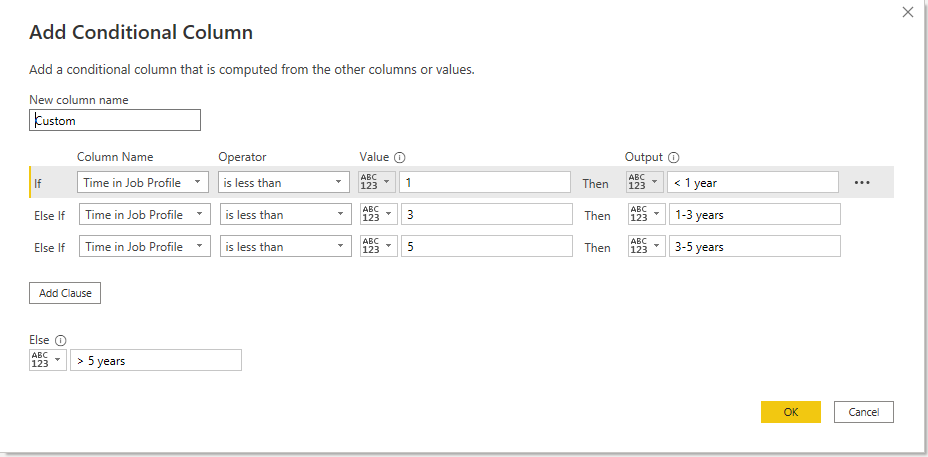
You can add the conditional column as
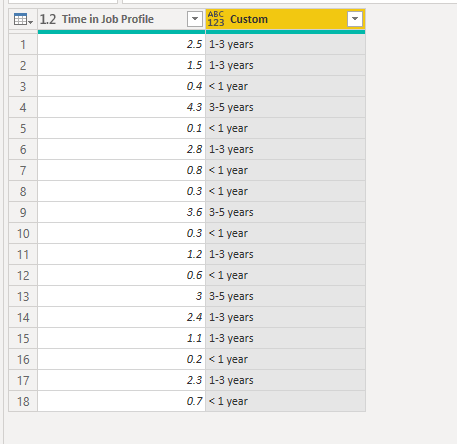
Here's the result.
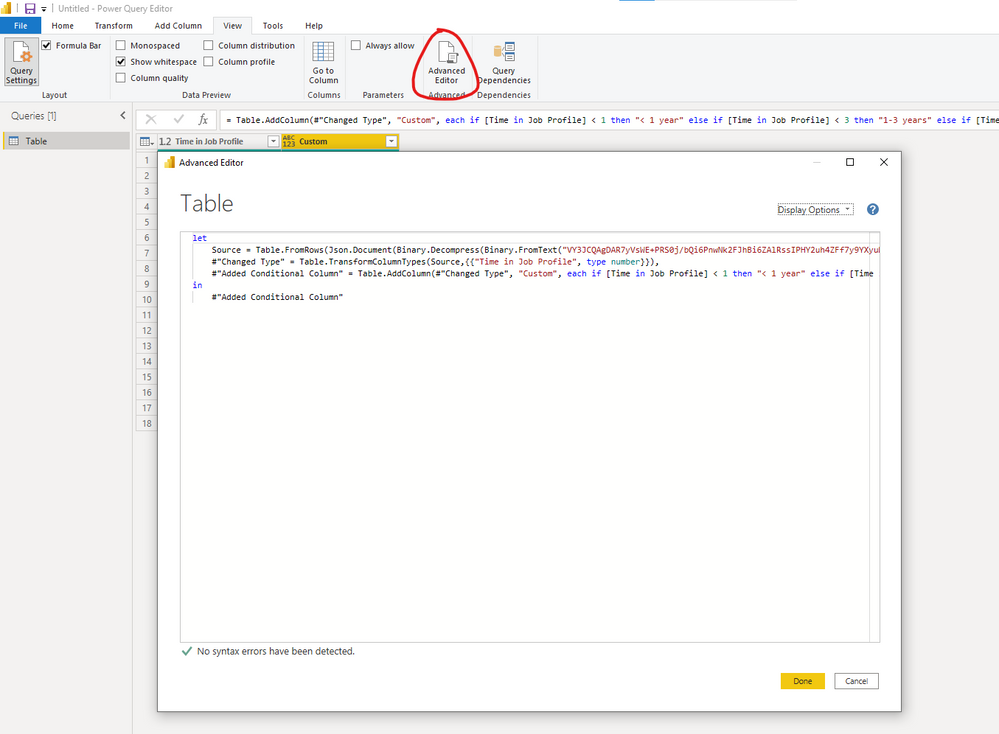
You can go to the advanced editor to check you codes.
Best Regards,
Stephen Tao
If this post helps, then please consider Accept it as the solution to help the other members find it more quickly.
Use below DAX. Replace Range with your result column name and Years with your input column name
Range =
SWITCH(TRUE(),
[Years]>5,"5 years",
[Years]>3,"3-5 years",
[Years]>1,"1-3 years",
"<1 year"
)
Will this works,?
Hi @AtchayaP ,
It's the Power Query forum, we use the M language instead of the DAX language in the Power Query Editor.
They are different, you can refer to Differences between the M Language and DAX in Power BI.
The screenshot you provided is in the Power Query editor.
You can add the conditional column as
Here's the result.
You can go to the advanced editor to check you codes.
Best Regards,
Stephen Tao
If this post helps, then please consider Accept it as the solution to help the other members find it more quickly.
If you have recently started exploring Fabric, we'd love to hear how it's going. Your feedback can help with product improvements.
A new Power BI DataViz World Championship is coming this June! Don't miss out on submitting your entry.
| User | Count |
|---|---|
| 5 | |
| 3 | |
| 3 | |
| 2 | |
| 2 |
| User | Count |
|---|---|
| 10 | |
| 8 | |
| 7 | |
| 7 | |
| 5 |