This is best Fabric, Power BI, SQL and AI community event. How do we know? The last event sold out! Save €200 with code FABCMTY200.
Register nowA new Data Days event is coming soon! This time we’re going bigger than ever. Fabric, Power BI, SQL, AI and more. Don't miss out.
I want to know dax syntax for calculating job range in PowerBI . I have highlighted the column that is the answer should I need in PowerBI @Vijay_A_Verma
Solved! Go to Solution.
Hi @AtchayaP ,
It's the Power Query forum, we use the M language instead of the DAX language in the Power Query Editor.
They are different, you can refer to Differences between the M Language and DAX in Power BI.
The screenshot you provided is in the Power Query editor.
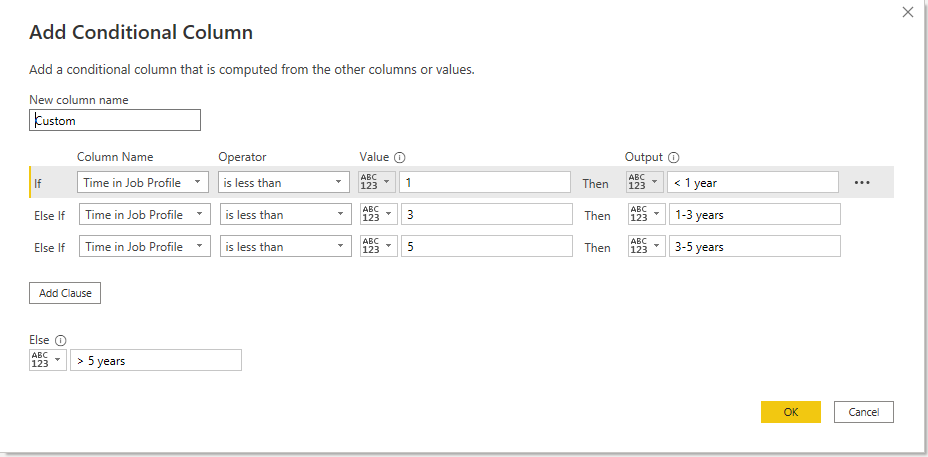
You can add the conditional column as
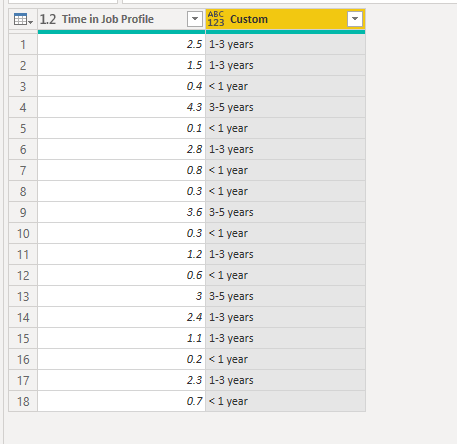
Here's the result.
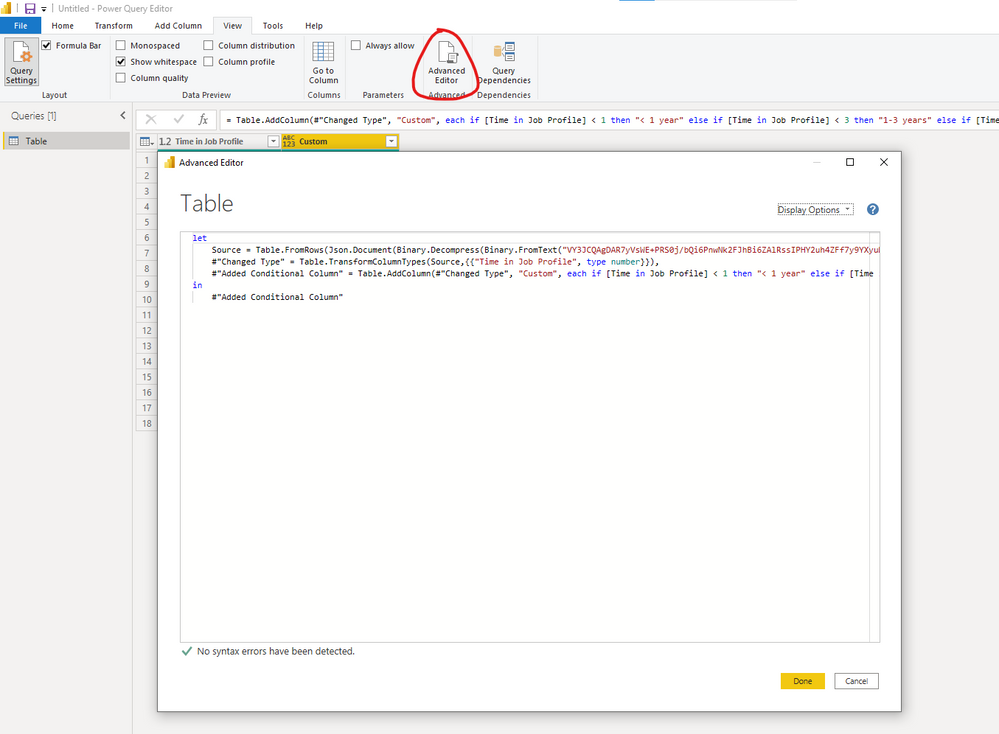
You can go to the advanced editor to check you codes.
Best Regards,
Stephen Tao
If this post helps, then please consider Accept it as the solution to help the other members find it more quickly.
Use below DAX. Replace Range with your result column name and Years with your input column name
Range =
SWITCH(TRUE(),
[Years]>5,"5 years",
[Years]>3,"3-5 years",
[Years]>1,"1-3 years",
"<1 year"
)
Will this works,?
Hi @AtchayaP ,
It's the Power Query forum, we use the M language instead of the DAX language in the Power Query Editor.
They are different, you can refer to Differences between the M Language and DAX in Power BI.
The screenshot you provided is in the Power Query editor.
You can add the conditional column as
Here's the result.
You can go to the advanced editor to check you codes.
Best Regards,
Stephen Tao
If this post helps, then please consider Accept it as the solution to help the other members find it more quickly.
Check out the May 2026 Power BI update to learn about new features.
Sign up to receive a private message when registration opens and key events begin.
If you have recently started exploring Fabric, we'd love to hear how it's going. Your feedback can help with product improvements.