Get certified for free when you join Fabric Data Days 2026 and dive into Fabric, Power BI, SQL, AI, and other essential data skills.
Join nowTry your skills in the Power BI Dataviz World Championship! Round one ends June 26. Join now
Good afternoon everyone,
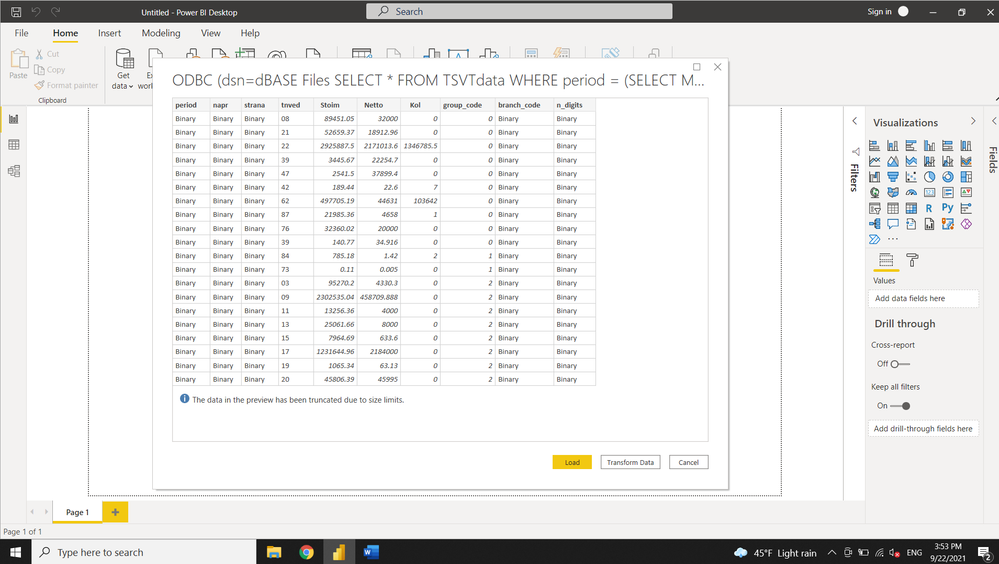
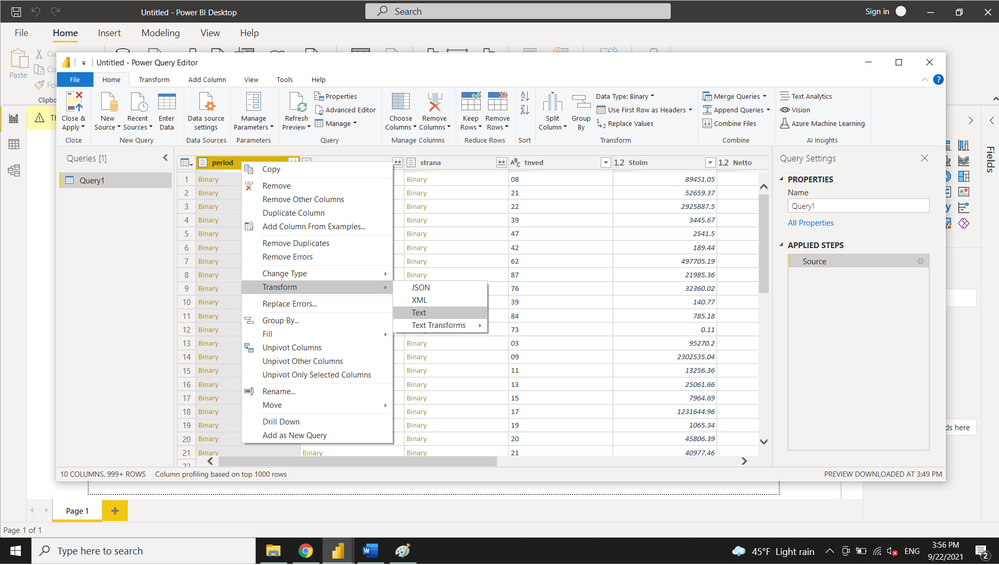
I'm trying to connect to SQLite3 database from PowerBi. When the PowerQuery opens, integer columns appears to be Binary format. I wrote table from Jupyter notebook using sqlalchemy and pandas to_sql(). Then, the file was opened in DB Browser for SQLite. Everything looked fine, so it seems to be sort of a Power BI issue. I can convert to text and then to Whole Number, but since such connections supposed to be created frequently, it's inconvinient to apply 2-steps convertion for 7 columns every time. Why PowerQuery reads integers as Binary?
Attaching some photos.
Any advise will be appriciated, very confused with the issue.
Solved! Go to Solution.
Hi @mieltn,
Not 100% sure of the cause, but one possible issue.
Did you explicitly set the data types in the Python script?
dtype={'period': sqlalchemy.types.INTEGER()}
Kim
| Have I solved your problem? Please click Accept as Solution so I don't keep coming back to this post, oh yeah, others may find it useful also ;). |
Hi, @mieltn ,
Power BI ODBC connector read the data absed on what driver returns. It looks like Access dBase driver that you use returned the data as binary, you should notify Access team about the issue if you have verified the data is indeed integer in SQLite.
Hi @mieltn,
Not 100% sure of the cause, but one possible issue.
Did you explicitly set the data types in the Python script?
dtype={'period': sqlalchemy.types.INTEGER()}
Kim
| Have I solved your problem? Please click Accept as Solution so I don't keep coming back to this post, oh yeah, others may find it useful also ;). |
Thank you very much! Explicitly initializing dtypes before writing to SQLite3 was the issue.
Don't miss out on Data Days, June 15 through August 7. Learn Fabric, Power BI, SQL, AI and more.
Check out the May 2026 Power BI update to learn about new features.
| User | Count |
|---|---|
| 3 | |
| 3 | |
| 3 | |
| 2 | |
| 2 |
| User | Count |
|---|---|
| 11 | |
| 9 | |
| 5 | |
| 5 | |
| 4 |