cancel
Showing results for 
Search instead for 
Did you mean: 

Get Fabric Certified for FREE during Fabric Data Days. Don't miss your chance! Request now

Reply
ComputerHabit
Helper II
Helper II

Power Query Connection Refresh Sharepoint Online

I have an Odata connection to Sharepoint Online.  The data from a list is displayed in the spreadhseet that is also saved to Sharepoint Online in the same site.  I would like to open the Excel file online and click the refresh button to update the Sharepoint list data contained in the file.  When I attempt to do so it fails.


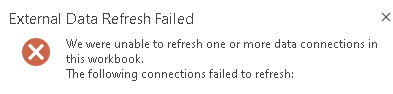
Documenation says data sources can be updated.  I'd think a data source on the same site would be the easiest.  I get the following error


ComputerHabit_0-1631907597569.png


I tried using an APP ID from the Sharepoint site in the data source connection.   That didn't seem to work.  

How do you get a data source to refresh?

6 REPLIES 6
v-kelly-msft
Community Support
Community Support

Hi  @ComputerHabit ,


Pls check a related blog to solve your issue:

http://www.widriksson.com/access-office-365-list-with-power-bi/


Best Regards,
Kelly

Did I answer your question? Mark my reply as a solution!

ComputerHabit
Helper II
Helper II

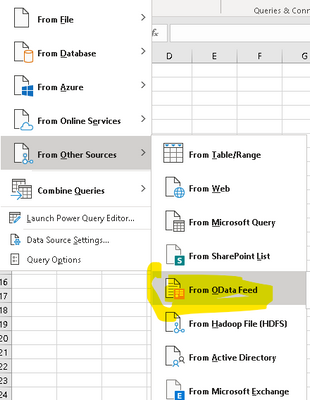
I don't have a specific script.  I'm using the data refresh capablilites of Excel.  The more I read, it may just not be possible.  I'm reading that the data refresh abilities is limited to only MSSQL.  


ComputerHabit_0-1632145112148.png


I'm reading maybe opening up excel with Flows might work.


The ability to refresh a query from within Excel online can depend on how the administrator has set configurations.  Yes, you can do this with Power Automate though.  Here is an example.

https://powerusers.microsoft.com/t5/Building-Flows/Flow-to-automatically-refresh-Excel-file-synced-t... 


I'm the tenant admin.  How would I ensure Excel Online could refresh Odata?

Here is a good resource that describes requirements based on different scenarios.

https://support.microsoft.com/en-us/office/work-with-external-data-in-excel-services-sharepoint-serv... 

jennratten
Super User
Super User

Please post screenshots and/or your scripts so we can better assist.

Helpful resources

Announcements
November Power BI Update Carousel

Power BI Monthly Update - November 2025

Check out the November 2025 Power BI update to learn about new features.

Fabric Data Days Carousel

Fabric Data Days

Advance your Data & AI career with 50 days of live learning, contests, hands-on challenges, study groups & certifications and more!

FabCon Atlanta 2026 carousel

FabCon Atlanta 2026

Join us at FabCon Atlanta, March 16-20, for the ultimate Fabric, Power BI, AI and SQL community-led event. Save $200 with code FABCOMM.