Hi @ven7939
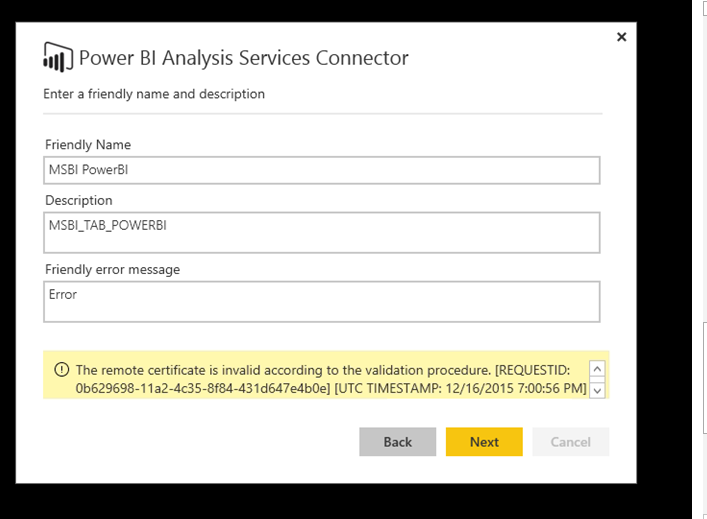
Make sure that on your SSAS server outbound ports: TCP 443 (default), 5672, 9350, 9354 are opened and all prerequistes validated. The check list is available at https://powerbi.microsoft.com/en-us/documentation/powerbi-analysis-services-connector/
By the way, you can test locally from the computer the AS Connector is installed on by:
- Using whoami/UPN: From a command prompt, type 'whoami/upn'. If the return result doesn't match the e-mail address used with the Power BI account, the AS Connector won't work.
- Using SSMS: In SQL Server Management Studio (SSMS), in the connect to server dialog for Analysis Services server, choose 'Options>>'

Then in the Additional Connection Parameters set EffectiveUserName= or the result of the whoami/upn). Then click Connect.

If connecting to the Analysis Services Server does not work, then the AS Connector will not work either.
For more information read https://powerbi.microsoft.com/en-us/documentation/powerbi-admin-troubleshoot-analysis-service-connec...