Don't miss your chance to take the Fabric Data Engineer (DP-700) exam on us!
Learn moreWe've captured the moments from FabCon & SQLCon that everyone is talking about, and we are bringing them to the community, live and on-demand. Starts on April 14th. Register now
Solved! Go to Solution.
Hi @Anonymous,
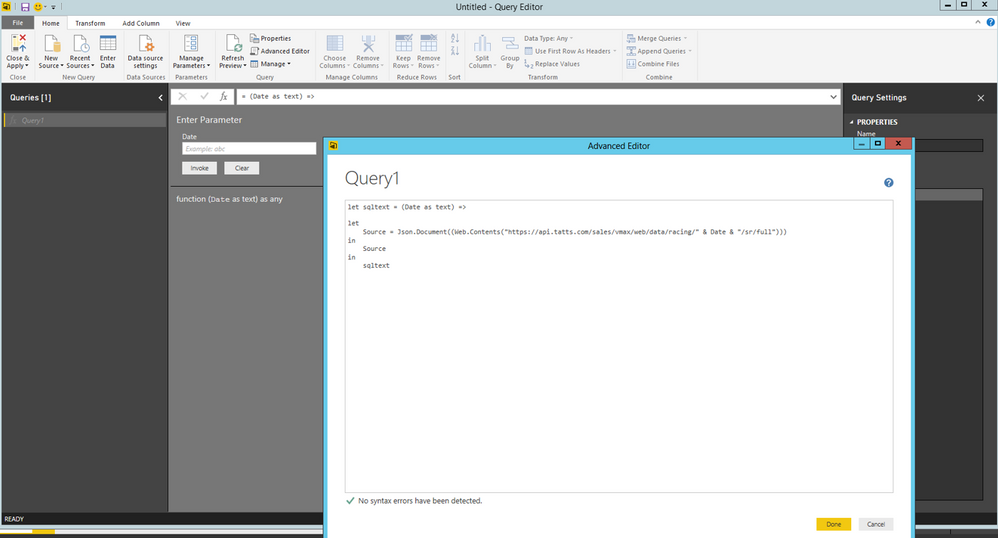
Add a new blank query in Power BI Desktop, then paste the following code in Advanced Editor.
let sqltext = (Date as text) =>
let
Source = Json.Document((Web.Contents("https://api.tatts.com/sales/vmax/web/data/racing/" & Date & "/sr/full")))
in
Source
in
sqltext
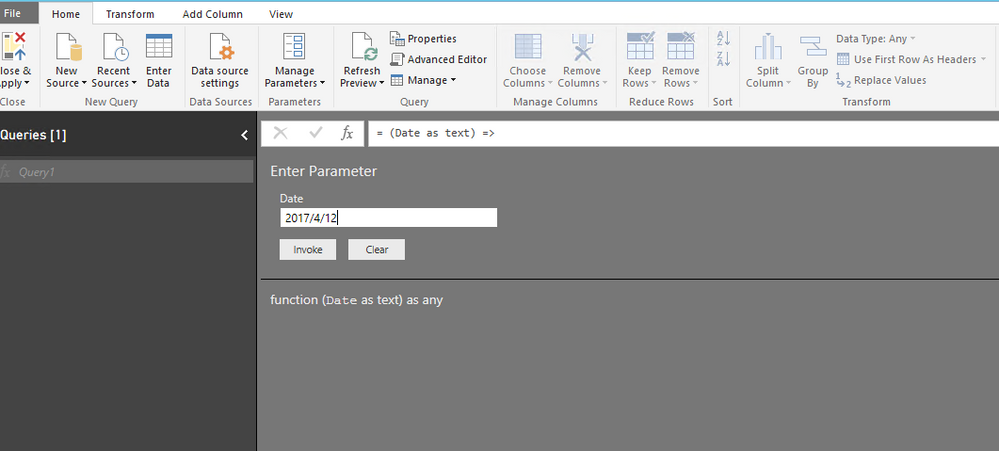
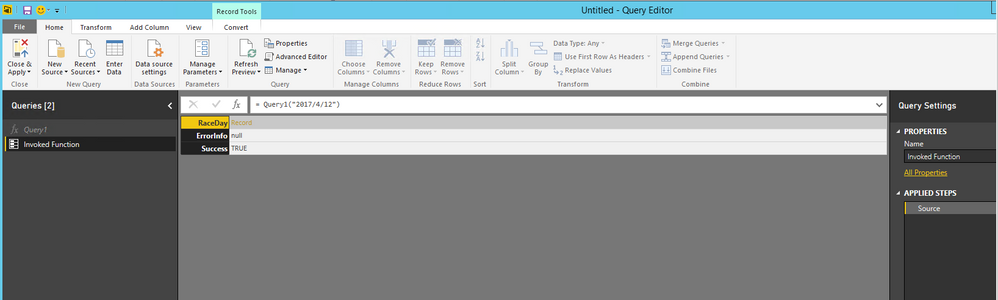
Then you can input date in the sqltext function to return result of that date. See my example below.
Thanks,
Lydia Zhang
in Octber Power BI Server & Power Desktop The Solution works in Power BI Desktop only
Cannot save to Power BI Server after upgrading to Power BI Server October 2020 (Build 15.0.1104.264) not in (Build 15.0.1104.300), Released: January 8, 2021.
Could someone share any workaround to this issue ?
Hi @Anonymous,
Add a new blank query in Power BI Desktop, then paste the following code in Advanced Editor.
let sqltext = (Date as text) =>
let
Source = Json.Document((Web.Contents("https://api.tatts.com/sales/vmax/web/data/racing/" & Date & "/sr/full")))
in
Source
in
sqltext
Then you can input date in the sqltext function to return result of that date. See my example below.
Thanks,
Lydia Zhang
I think I follow your solution but what if the API for the URL uses relative time units for example: Now - 1Month + 3Days.
We are loading time series data and it could potentailly be millions of rows. I want to use the Json.Document to initially load 2 days worth of data but then allow the user to select a date range. But I need the API to use relative time units. Is there a way to allow the user to select dates that then are transformed to relative time units to use as the parameters?
Hi Lydia,
I have a web API as below:
https://churchmetrics.com/api/v1/campuses/12345/weekly_totals.json?category_id=234567
Numbers in the API are parametrized, i.e., 12345 (represents location ID) and 234567 (specific data for the location, i.e., attendance, new comers, etc.)
There are 10 different locations and each location has 4 different types of data that I want to extract.
I have created two lists in power query editor, i.e., one for locations and the other list for types of data. I want to use parameters to be able to fetch all the values (i.e., 40 values) in single query using parameters. Is it possible to do in Power Query?
Please advise.
This is resolved using inputs from https://msdynamicsworld.com/story/use-parameters-and-custom-functions-call-apis-power-bi althoug I am unable to automate data refresh in Power BI service since I am using custom functions.
If you have recently started exploring Fabric, we'd love to hear how it's going. Your feedback can help with product improvements.
A new Power BI DataViz World Championship is coming this June! Don't miss out on submitting your entry.
Share feedback directly with Fabric product managers, participate in targeted research studies and influence the Fabric roadmap.
| User | Count |
|---|---|
| 5 | |
| 4 | |
| 3 | |
| 3 | |
| 2 |
| User | Count |
|---|---|
| 8 | |
| 8 | |
| 6 | |
| 6 | |
| 5 |