cancel
Showing results for 
Search instead for 
Did you mean: 

Get Fabric certified for FREE! Don't miss your chance! Learn more

Reply
ClayGotte
Frequent Visitor

On-premise Gateway Configuration Help!!

Hey guys! 

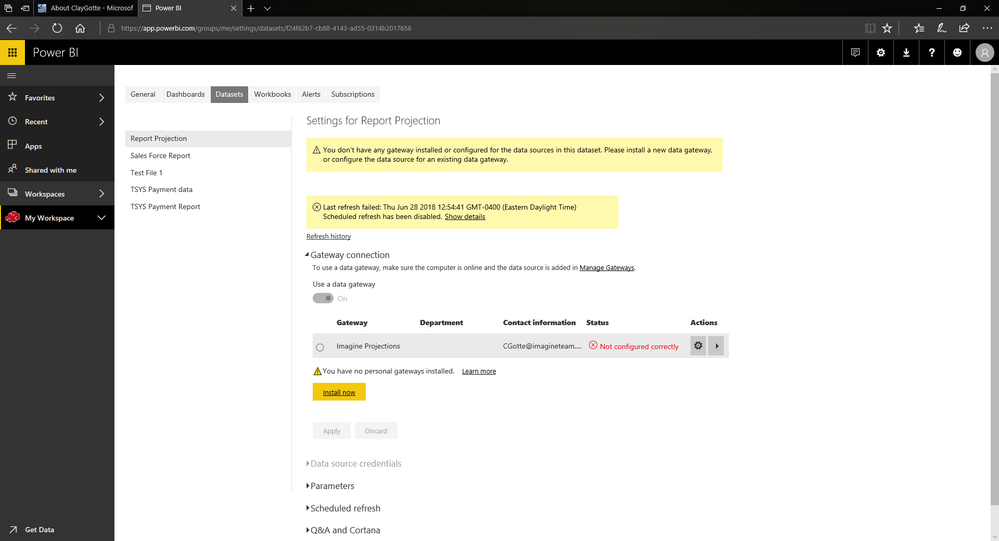
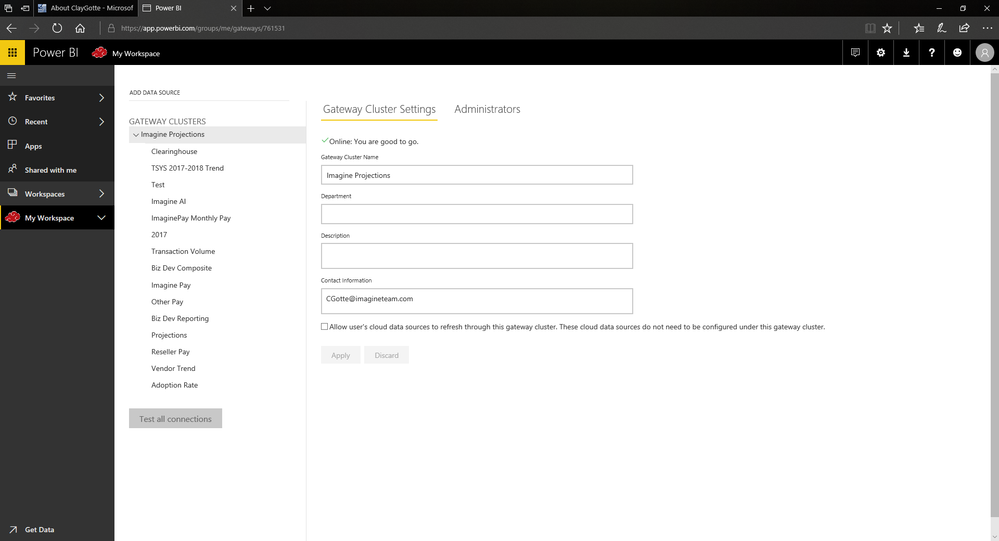
I have been working on this report for about three weeks and just as I was trying to finish the gateway to wrap this thing up it seems I keep funning into problems I dont know how to fix, im reletivly new to power bi so I may just be making some rookie mistakes. I will have pictures attached below. 


The jist is I had all my files I pulled from for the report in my downlaods folder, I thought the inital problem was that so i moved all the files to a secure internal hardrive. That didnt seem to fix the problem, When I set up the gateway i know that I set it up to pull from the user drive in my computer not that internal but I chnaged some of the data sources from the user to the internal and that still didnt seem to work. The gateway says it not configured right and has all those red X next to my documents for files I used but when I go into the gatew way settings everything is connected and it set up fine. I dont really know where to go from here. I dont know if i should delete the gateway and make a new one that is sourced to pull from the internal or what. Any help is greatly appreciated!! This is where it say the configuration is faultyThis is where it say the configuration is faultyRed X but if you click add to gateway I have already added it and it still dosent workRed X but if you click add to gateway I have already added it and it still dosent workWhere my gateway is all set up and say everythig is goodWhere my gateway is all set up and say everythig is good
1 ACCEPTED SOLUTION
Anonymous
Not applicable

@ClayGotte Each of those files is a datasource if you connected to each excel file... you would need to add the file as a datasource on the gateway for every one of them that you use in your report. The datasource type "File, Folder, SQL DB" all need to match a datasource you set up in the Enterprise gateway. For that long laundry list of Excel files, it doesn't appear you have those as datasources to connect to. Also, you will need to make sure your user is on the data source (in the gateway) in order for the dataset of the report to recognize that you can use it.

View solution in original post

1 REPLY 1
Anonymous
Not applicable

@ClayGotte Each of those files is a datasource if you connected to each excel file... you would need to add the file as a datasource on the gateway for every one of them that you use in your report. The datasource type "File, Folder, SQL DB" all need to match a datasource you set up in the Enterprise gateway. For that long laundry list of Excel files, it doesn't appear you have those as datasources to connect to. Also, you will need to make sure your user is on the data source (in the gateway) in order for the dataset of the report to recognize that you can use it.

Helpful resources

Announcements
Sticker Challenge 2026 Carousel

Join our Community Sticker Challenge 2026

If you love stickers, then you will definitely want to check out our Community Sticker Challenge!

January Power BI Update Carousel

Power BI Monthly Update - January 2026

Check out the January 2026 Power BI update to learn about new features.

FabCon Atlanta 2026 carousel

FabCon Atlanta 2026

Join us at FabCon Atlanta, March 16-20, for the ultimate Fabric, Power BI, AI and SQL community-led event. Save $200 with code FABCOMM.