Hey guys!
I have been working on this report for about three weeks and just as I was trying to finish the gateway to wrap this thing up it seems I keep funning into problems I dont know how to fix, im reletivly new to power bi so I may just be making some rookie mistakes. I will have pictures attached below.
The jist is I had all my files I pulled from for the report in my downlaods folder, I thought the inital problem was that so i moved all the files to a secure internal hardrive. That didnt seem to fix the problem, When I set up the gateway i know that I set it up to pull from the user drive in my computer not that internal but I chnaged some of the data sources from the user to the internal and that still didnt seem to work. The gateway says it not configured right and has all those red X next to my documents for files I used but when I go into the gatew way settings everything is connected and it set up fine. I dont really know where to go from here. I dont know if i should delete the gateway and make a new one that is sourced to pull from the internal or what. Any help is greatly appreciated!! 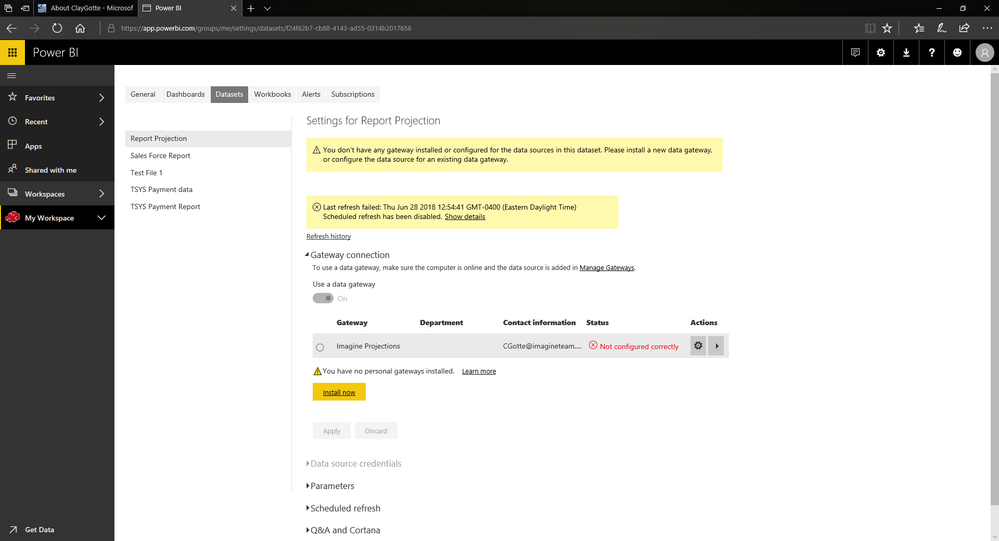 This is where it say the configuration is faulty
 Red X but if you click add to gateway I have already added it and it still dosent work
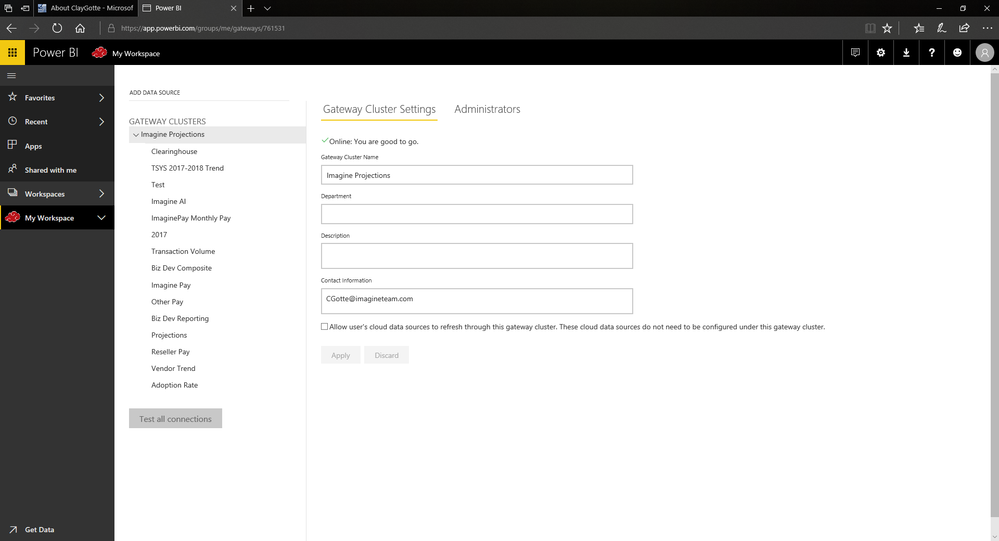 Where my gateway is all set up and say everythig is good


