Don't miss your chance to take the Fabric Data Engineer (DP-700) exam on us!
Learn moreThe FabCon + SQLCon recap series starts April 14th at 8am Pacific. If you’re tracking where AI is going inside Fabric, this first session is a can't miss. Register now
Hi!
I have run into a very irriating issue that I hope someone might be able to help me with. I have two data sources, exchange online where I download some mail and one sql server table. Both works perfectly, I connect directly to Exchange through the cloud and the sql server through the Gateway.
However when I try to merge the querys in Power Query I run into trouble. I do a check in the SQL-table if the current ID from the mail exist or not. Everything works perfectly in the local file.
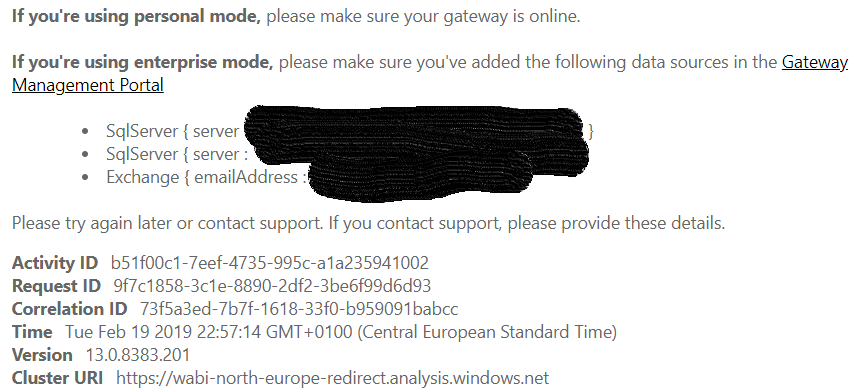
When I upload the file to the Power BI Service I cannot connect anymore to either the SQL server or Exchange. When I look under data source credentials it seems that Power BI Service think I need a gateway for the exchange connection aswell as I have nested the querys. And as you know there is no gateway for Exchange, and ofcourse I shouldnt be needing it either as Exchange is in the cloud already. I would probably describe this as a bug in the service.
Now I'm stuck, does anyone have a workaround for this? I'm thinking of a workaround to download the exchange data to another sql-table and join them instead, but would like to avoid it if possible.
Hi @Anonymous
It requires a on-premise gateway or on-premise(personal) gateway to merge or append on-premises and cloud data sources.
You need add the on-premise data sources as a data source under the on-premises gateway and give credential for web data source under the dataset setting in Power BI Service.
Do you download a on-premises gateway and configure as below?
install a gateway for Power BI
Manage a gateway and configure schedule refresh
merge or append on-premises and cloud data sources
Best Regards
Maggie
For reference after some more playing around with it. It seems I can't even append the two querys together when getting one from SQL server and the other from Exchange. Very disappointing.
If you have recently started exploring Fabric, we'd love to hear how it's going. Your feedback can help with product improvements.
A new Power BI DataViz World Championship is coming this June! Don't miss out on submitting your entry.
Share feedback directly with Fabric product managers, participate in targeted research studies and influence the Fabric roadmap.
| User | Count |
|---|---|
| 5 | |
| 4 | |
| 3 | |
| 3 | |
| 2 |
| User | Count |
|---|---|
| 8 | |
| 6 | |
| 6 | |
| 6 | |
| 5 |