Get certified for free when you join Fabric Data Days 2026 and dive into Fabric, Power BI, SQL, AI, and other essential data skills.
Join nowData Days is here! Join us now for 60+ days of learning, challenges, and connection. Learn more
I am having a strange issue when I am collating multiple excel sheets by power query.
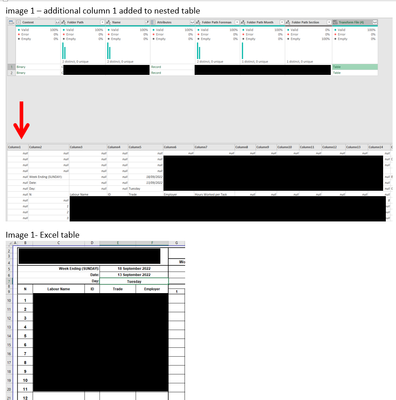
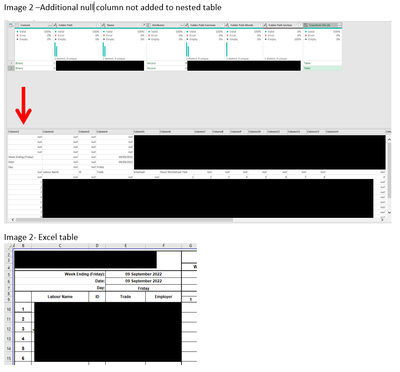
The excel sheets are the same formats however in the nested tables some of the imported tables are removing the first column and keeping this first column for other sheets and I cant work out why (images attached)
When i expand the tables this is causing some of the columns to be staggered so they dont line up.
1. any idea what is causing this
2. whats the best way to overcome this issue to ensure when i i expand tables all the columns are correctly lined up
images below
Hi @dmm3344,
I think you need to check the import function that PBI created for you to suck in the data from the files.
The answer should probably sit somewhere around the settings for the step where the tab data are getting imported, somethering like Content[Kind=Table, Item = MyTab]. You may need to play with this one to see if this can be set to import the entire sheet, rather than a range.
Cheers,
John
Don't miss out on Data Days, June 15 through August 7. Learn Fabric, Power BI, SQL, AI and more.
Check out the May 2026 Power BI update to learn about new features.
| User | Count |
|---|---|
| 4 | |
| 4 | |
| 3 | |
| 2 | |
| 1 |
| User | Count |
|---|---|
| 11 | |
| 11 | |
| 4 | |
| 4 | |
| 4 |