Join us at FabCon Atlanta from March 16 - 20, 2026, for the ultimate Fabric, Power BI, AI and SQL community-led event. Save $200 with code FABCOMM.
Register now!The Power BI Data Visualization World Championships is back! Get ahead of the game and start preparing now! Learn more
Hi guys
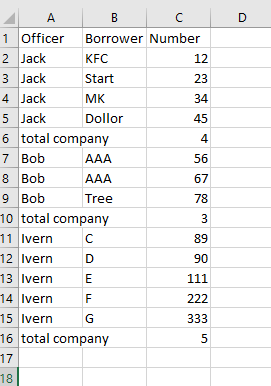
Recently, I'm trying to build a report that contain Officer, Company and Number. Like this:
the problem I have is when I using matrix (I put Officer and company in rows), it will merge all the rows with same company name like row 7 & 8 will merge into one row. Btw, I put count Officer in value, so that matrix will provide me the total company count.
Another way, I tried to use table, but it can not expand or collapse also, I don't know how to add the total company count for each officer. Please help me.
Thank you so much
Solved! Go to Solution.
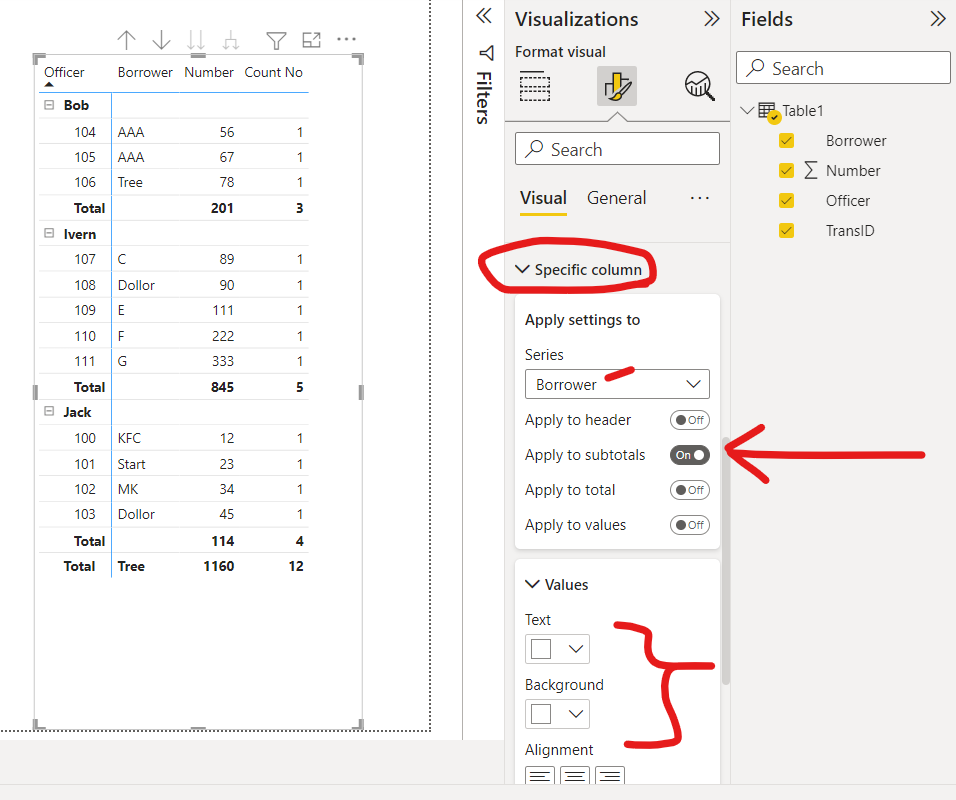
I actually like this view better. I put the borrower in the values and then made the borrower subtotals white to "hide" this against the background. Enjoy! Tom
Hi @awawaw ,
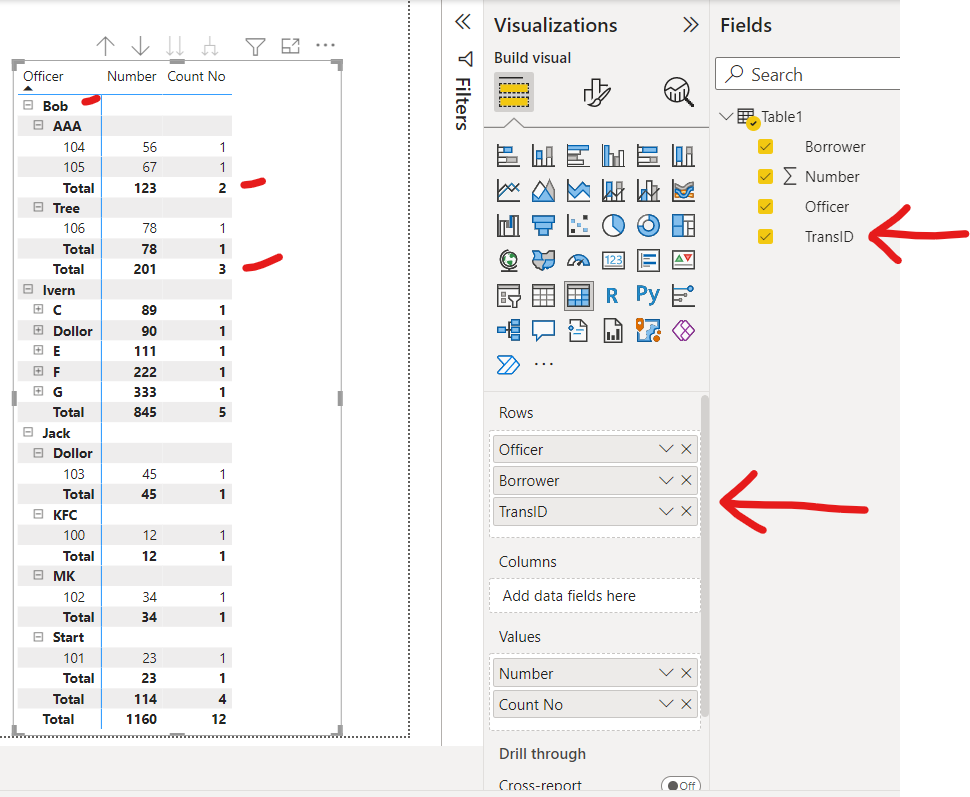
There's a lot of ways to do this, here's one idea: In my example table, I added a transaciton ID to each row (to represent a loan transaction). From there, it works in the matrix with subtotals displaying each transaction (aka row).
If this is helpful, please mark as a solution to help others find solutions too! Always glad to help! Tom 😀
I added a transaction ID to each row to make the matrix work the way you wanted
I actually like this view better. I put the borrower in the values and then made the borrower subtotals white to "hide" this against the background. Enjoy! Tom
Hi Tom, I still have a question. Is there any way that I can make the value align center but still make subtotal as white (invisible)?
Hi Tom
This was amazing! Thank you so much!
The Power BI Data Visualization World Championships is back! Get ahead of the game and start preparing now!
| User | Count |
|---|---|
| 19 | |
| 10 | |
| 9 | |
| 7 | |
| 6 |