Join us at FabCon Atlanta from March 16 - 20, 2026, for the ultimate Fabric, Power BI, AI and SQL community-led event. Save $200 with code FABCOMM.
Register now!The Power BI Data Visualization World Championships is back! Get ahead of the game and start preparing now! Learn more
Hello Guys,
I'm trying to get data from a REST API that doesn't have total number of pages or total number of entries.
I have search on internet for answer but none fit for my challenge, so I came here to get sugestions.
So, the first part I got it. I made a funciont name "GetPageClientes",
= (page as text) =>
let
Source = try Json.Document(Web.Contents("https://api.mysite.io/v2/customers?page=" & page & "&limit=1000", [Headers=[Authorization="Bearer NTg***********"]])) otherwise [customers=null],
#"Converted to Table" = Table.FromRecords({Source})
in
#"Converted to Table"
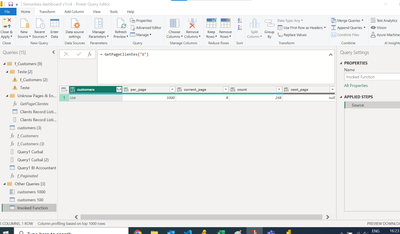
and after some tentatives I got the total number of pages, in the case, 8 pages.
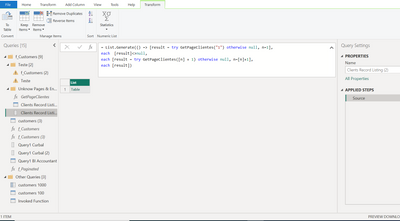
In the sequence, I looked for List.Generate
= List.Generate(() => [result = try GetPageClientes("1") otherwise null, n=1],
each [result]<>null,
each [result = try GetPageClientes([n] + 1) otherwise null, n=[n]+1],
each [result])
to list everypage together, but It's not easy for me and not work as intended as well.
So, if anyone could help, I will appreciate.
--
Thank all.
Alexandre.
Solved! Go to Solution.
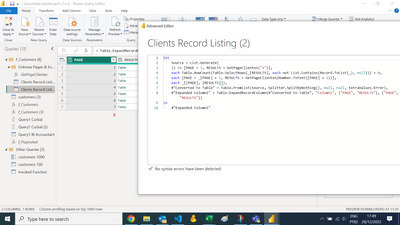
I got it... i got it... i'm sooooooo happy.
= List.Generate(
() => [PAGE = 1, RESULTS = GetPageClientes("1")],
each Table.RowCount(Table.SelectRows([RESULTS], each [count]>0)) >0,
each [PAGE = [PAGE] + 1, RESULTS = GetPageClientes(Number.ToText([PAGE] + 1))],
each [RESULTS])
My research was that:
https://www.dalesandro.net/handling-paginated-rest-api-results-with-power-query/
https://www.thebiccountant.com/2020/05/15/miss-last-page-paging-power-bi-power-query/
https://www.youtube.com/watch?v=05yhwnuCjRw
https://www.youtube.com/watch?v=IASH1Fr16HY
I got it... i got it... i'm sooooooo happy.
= List.Generate(
() => [PAGE = 1, RESULTS = GetPageClientes("1")],
each Table.RowCount(Table.SelectRows([RESULTS], each [count]>0)) >0,
each [PAGE = [PAGE] + 1, RESULTS = GetPageClientes(Number.ToText([PAGE] + 1))],
each [RESULTS])
My research was that:
https://www.dalesandro.net/handling-paginated-rest-api-results-with-power-query/
https://www.thebiccountant.com/2020/05/15/miss-last-page-paging-power-bi-power-query/
https://www.youtube.com/watch?v=05yhwnuCjRw
https://www.youtube.com/watch?v=IASH1Fr16HY
Hi @Anonymous ,
that really is an annoying behaviour. Please check out this blogpost where I've described a workaraound: How not to miss the last page when paging with Power BI and Power Query (thebiccountant.com)
Imke Feldmann (The BIccountant)
If you liked my solution, please give it a thumbs up. And if I did answer your question, please mark this post as a solution. Thanks!
How to integrate M-code into your solution -- How to get your questions answered quickly -- How to provide sample data -- Check out more PBI- learning resources here -- Performance Tipps for M-queries
hello everyone,
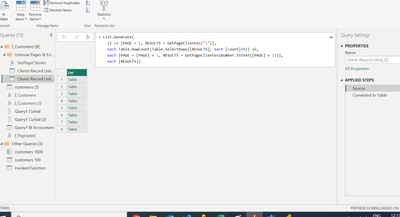
I get partial success now. I can list 7 pages, but I know that there is a 8 one.
Probably, the solution is on the line 4... if someone could suggest anything, I will appreciate.
Tks in advance,
--
Alexandre.
The Power BI Data Visualization World Championships is back! Get ahead of the game and start preparing now!
| User | Count |
|---|---|
| 19 | |
| 9 | |
| 8 | |
| 7 | |
| 6 |