Get certified for free when you join Fabric Data Days 2026 and dive into Fabric, Power BI, SQL, AI, and other essential data skills.
Join nowData Days is here! Join us now for 60+ days of learning, challenges, and connection. Learn more
I have a custom data connector that brings in data to Power BI in Json. I'm getting the container level of the Json Tables. I need the actual table to display in the Navigation tool how do I get down one level in the data query?
Hi! I am trying to solve this problem as well. Were you able to find a solution?
Hello @cglacken
I don't get really what is needed. A json file can contain different types of list and records. And a query itself can only give back one table or again a record/list of other tables. Could you explain what exactly is needed?
BR
Jimmy
Thanks for the reply @Jimmy801,
Here is what I am trying to do:
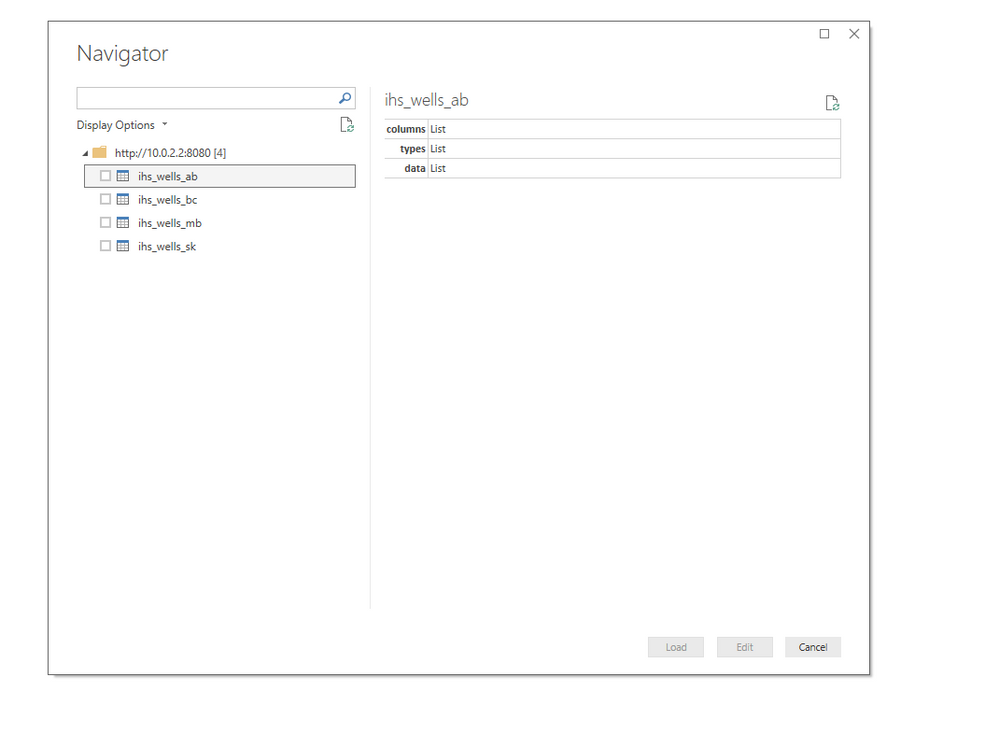
I have a custom Data Connector that utilizes and XML import. This connector returns a dynamic set of tables based on the paramters used for the call. When I call the connector, I get the Navigator window that displays all returned tables and lets me preview them or select which ones I want to load into Power BI. This is pretty user friendly. I have been trying to figure our how I can recreate this with JSON as well, in the hopes that JSON can add some performance time improvements.
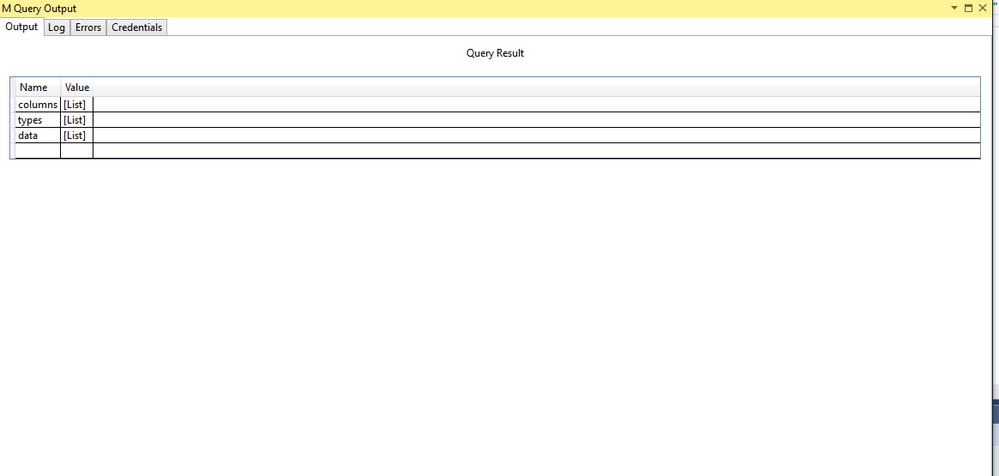
What I get with JSON is what you said. I get a query made up of my table names and list of records. I never get to the navigator window. I have a custom function I made that automatically expands the tables out into their own queries one by one - but that is not as user friendly as the navigator window and the user would not have access to this function unles they were using a template I provided.
It may be that what I am trying to do is not possible, but I wanted to check when I saw this question
Hi @Anonymous
Check the video regarding "POST data to REST API URL in Power BI (Use JSON / XML ODBC Drivers for Web API and Files)" and
the article "Using Power BI with JSON Data Sources and Files"
Best Regards
Maggie
Community Support Team _ Maggie Li
If this post helps, then please consider Accept it as the solution to help the other members find it more quickly.
withData = Table.AddColumn(getRecords, "Data", each Record.ToTable(Json.Document(Web.Contents(url & "/api/v2/report/" & [id] & "/latest/output?auth=" & hash, [ Headers = [Cookie = "userkey=" & userId & "/" & hash & "/" & secureKey, Accept = "application/json" ]])))),
This my query for the tables.
Don't miss out on Data Days, June 15 through August 7. Learn Fabric, Power BI, SQL, AI and more.
Check out the May 2026 Power BI update to learn about new features.
| User | Count |
|---|---|
| 4 | |
| 4 | |
| 3 | |
| 2 | |
| 1 |
| User | Count |
|---|---|
| 11 | |
| 11 | |
| 5 | |
| 4 | |
| 3 |