cancel
Showing results for 
Search instead for 
Did you mean: 

The Power BI Data Visualization World Championships is back! It's time to submit your entry. Live now!

Reply
sugna66
Frequent Visitor

Json Table from API

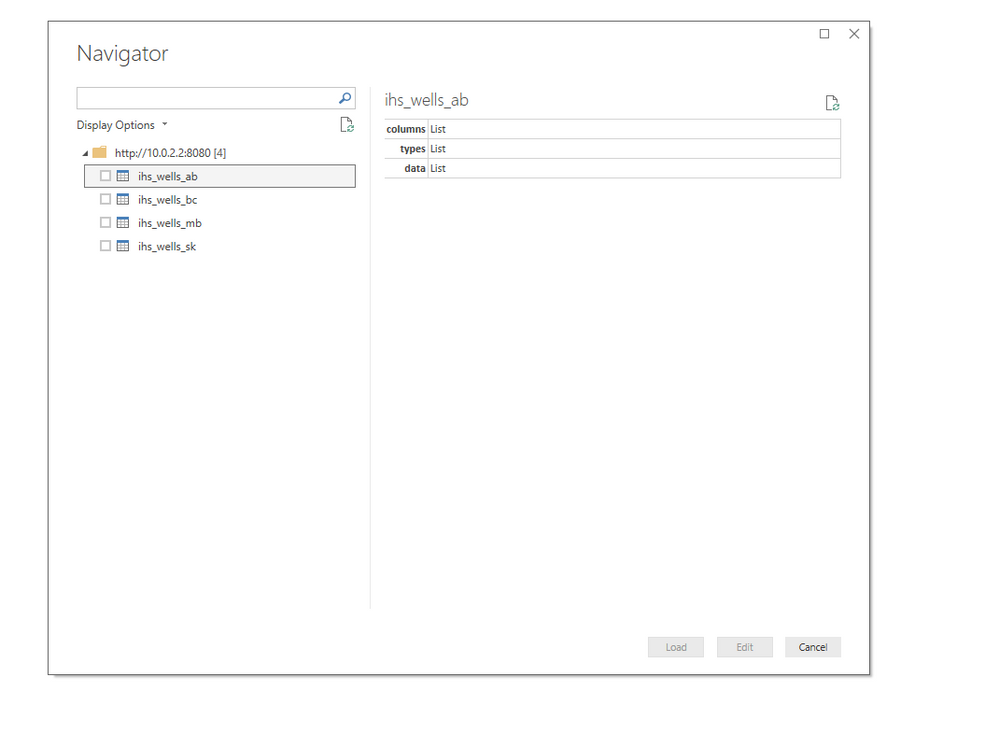
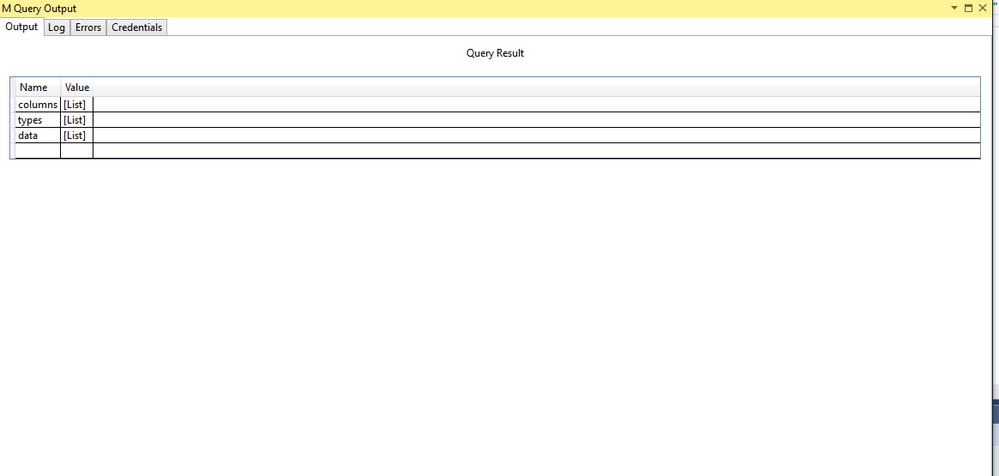
I have a custom data connector that brings in data to Power BI in Json. I'm getting the container level of the Json Tables. I need the actual table to display in the Navigation tool how do I get down one level in the data query? 


Screen Shot 2019-03-07 at 12.56.24 PM.pngScreen Shot 2019-03-07 at 12.19.03 PM.png

5 REPLIES 5
cglacken
New Member

Hi! I am trying to solve this problem as well. Were you able to find a solution?

Hello @cglacken 


I don't get really what is needed. A json file can contain different types of list and records. And a query itself can only give back one table or again a record/list of other tables. Could you explain what exactly is needed?


BR


Jimmy

Thanks for the reply @Jimmy801,


Here is what I am trying to do:


I have a custom Data Connector that utilizes and XML import. This connector returns a dynamic set of tables based on the paramters used for the call. When I call the connector, I get the Navigator window that displays all returned tables and lets me preview them or select which ones I want to load into Power BI. This is pretty user friendly. I have been trying to figure our how I can recreate this with JSON as well, in the hopes that JSON can add some performance time improvements.


What I get with JSON is what you said. I get a query made up of my table names and list of records. I never get to the navigator window. I have a custom function I made that automatically expands the tables out into their own queries one by one - but that is not as user friendly as the navigator window and the user would not have access to this function unles they were using a template I provided.


It may be that what I am trying to do is not possible, but I wanted to check when I saw this question

v-juanli-msft
Community Support
Community Support

Hi @sugna66 

Check the video regarding "POST data to REST API URL in Power BI (Use JSON / XML ODBC Drivers for Web API and Files)" and 

the article "Using Power BI with JSON Data Sources and Files"


Best Regards

Maggie


Community Support Team _ Maggie Li
If this post helps, then please consider Accept it as the solution to help the other members find it more quickly.

sugna66
Frequent Visitor

withData = Table.AddColumn(getRecords, "Data", each Record.ToTable(Json.Document(Web.Contents(url & "/api/v2/report/" & [id] & "/latest/output?auth=" & hash, [ Headers = [Cookie = "userkey=" & userId & "/" & hash & "/" & secureKey, Accept = "application/json" ]])))),

This my query for the tables.

Helpful resources

Announcements
FabCon Atlanta 2026 carousel

FabCon Atlanta 2026

Join us at FabCon Atlanta, March 16-20, for the ultimate Fabric, Power BI, AI and SQL community-led event. Save $200 with code FABCOMM.