Get certified for free when you join Fabric Data Days 2026 and dive into Fabric, Power BI, SQL, AI, and other essential data skills.
Join nowJuly 7 - July 17 | Round 2 of the Power BI Dataviz World Championships. Don't miss your chance! Learn more
Hi there,
I am trying to connect to Postgreys Database, I have provided Server & database details but I am keep getting timeout issues.
Upon detail analysis I found that there are 2 ports one (123) is restricted & another one (456) is open so I think its hitting restricted one; so how can hit to open port (456).
Regards,
Abd
Hi, @Anonymous
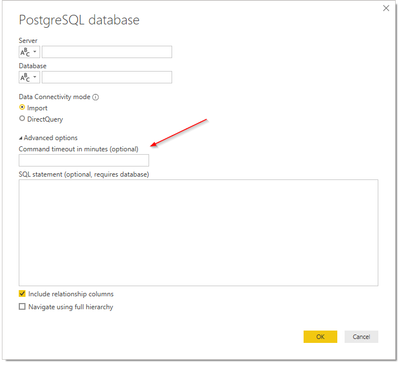
You could reference the ways to change timeout parameters to check if you could connect the data source without an error.
1. Add timeout parameter to connection string:
2. Otherwise, you could add timeout parameter to Query argument within M Code / Advanced Editor:
ConnectionTimeout : A duration that controls how long to wait before abandoning an attempt to make a connection to the server. The default value is 15 seconds.
Reference:
https://docs.microsoft.com/en-us/powerquery-m/odbc-datasource
Best Regards,
Community Support Team _ Zeon Zheng
If this post helps, then please consider Accept it as the solution to help the other members find it more quickly.
Thanks for the reply @v-angzheng-msft ,
Forgot to mentioned that I already tried timeout but here the issue is the port where Power BI trying to query; its trying on restricted port so is there any way I can mention port no while trying to get data?
Also FYI I cant use ODBC due to compliance issues.
Regards,
Abd
Join us in Barcelona for FabCon and SQLCon, the Fabric, Power BI, SQL, and AI community event. Save €200 with code FABCMTY200.
Join Fabric Data Days 2026: 60 days of free live/on-demand sessions, challenges, study groups, and certification opportunities.