cancel
Showing results for 
Search instead for 
Did you mean: 

The Power BI Data Visualization World Championships is back! Get ahead of the game and start preparing now! Learn more

Reply
Anonymous
Not applicable

How to remove table row with £0 value

Hi there, 


I have a table which is correctly picking up the data that should be shown, however isnt relevant to the current year.


i need the table to show only values in the 21/22 year and all £0 rows to be removed. can this be done? if so how?


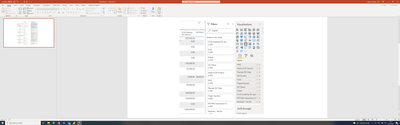
Stuffit25_1-1633439560422.png


1 ACCEPTED SOLUTION
BA_Pete
Super User
Super User

Hi @Anonymous ,


Three simple ways to remove zeroes:


Power Query:

Select the column(s) in your fact tables that contain your values. Go to the Transform tab > Replace Values.

In the Find box, type 0, in the Replace With box type null.

Note: this will not remove zeros when zero is the result of a sum between values e.g. 100+50-150 = 0.


DAX:

In your measures that produce these numbers, you can add an IF statement to return blank if zero, something like this:


_blankMeasure =
VAR __yourCalc =
[your calculation or measure here]
RETURN
IF(
  __yourCalc = 0,
  BLANK(),
  __yourCalc
)


Report GUI:

Select your visual that you want to remove zeroes from. Find the measure in the visual-level filter pane on the right. Set the filter to yourValue > 0.


Regarding the current year only requirement, the easiest way would be to create a calendar table (you should always have one), create a column in it that uses whatever logic you need to identify 'current year', relate calendar[date] to factTable[date], then use your calendar current year field in page-level, visual-level, or measure filters accordingly.


Pete


Now accepting Kudos! If my post helped you, why not give it a thumbs-up?

Proud to be a Datanaut!


View solution in original post

1 REPLY 1
BA_Pete
Super User
Super User

Hi @Anonymous ,


Three simple ways to remove zeroes:


Power Query:

Select the column(s) in your fact tables that contain your values. Go to the Transform tab > Replace Values.

In the Find box, type 0, in the Replace With box type null.

Note: this will not remove zeros when zero is the result of a sum between values e.g. 100+50-150 = 0.


DAX:

In your measures that produce these numbers, you can add an IF statement to return blank if zero, something like this:


_blankMeasure =
VAR __yourCalc =
[your calculation or measure here]
RETURN
IF(
  __yourCalc = 0,
  BLANK(),
  __yourCalc
)


Report GUI:

Select your visual that you want to remove zeroes from. Find the measure in the visual-level filter pane on the right. Set the filter to yourValue > 0.


Regarding the current year only requirement, the easiest way would be to create a calendar table (you should always have one), create a column in it that uses whatever logic you need to identify 'current year', relate calendar[date] to factTable[date], then use your calendar current year field in page-level, visual-level, or measure filters accordingly.


Pete


Now accepting Kudos! If my post helped you, why not give it a thumbs-up?

Proud to be a Datanaut!


Helpful resources

Announcements
Power BI DataViz World Championships

Power BI Dataviz World Championships

The Power BI Data Visualization World Championships is back! Get ahead of the game and start preparing now!

December 2025 Power BI Update Carousel

Power BI Monthly Update - December 2025

Check out the December 2025 Power BI Holiday Recap!

FabCon Atlanta 2026 carousel

FabCon Atlanta 2026

Join us at FabCon Atlanta, March 16-20, for the ultimate Fabric, Power BI, AI and SQL community-led event. Save $200 with code FABCOMM.

Top Solution Authors