Don't miss your chance to take the Fabric Data Engineer (DP-700) exam on us!
Learn moreWe've captured the moments from FabCon & SQLCon that everyone is talking about, and we are bringing them to the community, live and on-demand. Starts on April 14th. Register now
I've got a Power BI file that i've published into Power BI Web. The project has 5 data sources. 2 SQL databases and a 3 excel files.
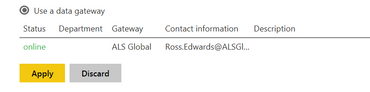
I've configured the gateway and i get the successful linkage as below:
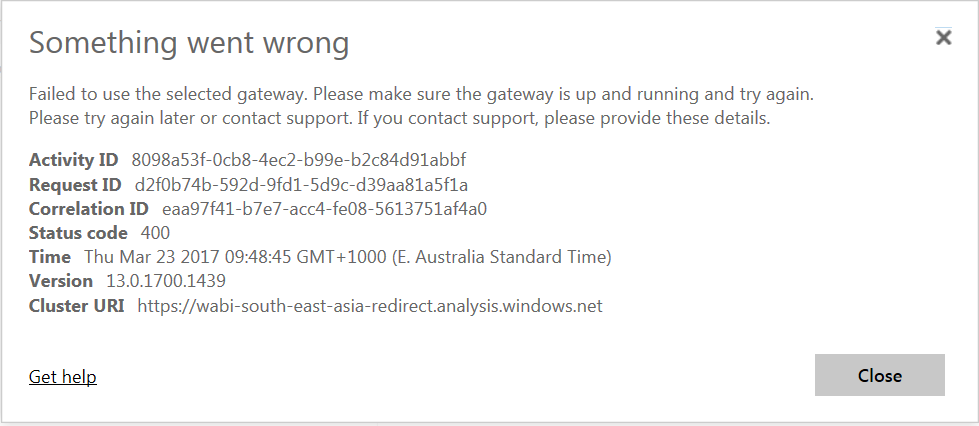
When i attempt to click "Apply" i'm met with the following error:
For troubleshooting i've split the file up into the 3 source groups. 1 file for each SQL and another for the group of excel files. Individually, none have an error. When i have them all together this cryptic mess of an error appears. Does anyone have any ideas of what might be causing the problem? I'm able to refresh fine using the refresh button on Power BI desktop.
Solved! Go to Solution.
I've gone through each of my tables and removed any "Hide in report view" that i have selected. This appears to be causing the error i have shown here.
If you have recently started exploring Fabric, we'd love to hear how it's going. Your feedback can help with product improvements.
A new Power BI DataViz World Championship is coming this June! Don't miss out on submitting your entry.
Share feedback directly with Fabric product managers, participate in targeted research studies and influence the Fabric roadmap.
| User | Count |
|---|---|
| 5 | |
| 3 | |
| 3 | |
| 2 | |
| 2 |
| User | Count |
|---|---|
| 9 | |
| 8 | |
| 7 | |
| 5 | |
| 5 |