cancel
Showing results for 
Search instead for 
Did you mean: 

The Power BI Data Visualization World Championships is back! Get ahead of the game and start preparing now! Learn more

Reply
Anonymous
Not applicable

Help with error

I've got a Power BI file that i've published into Power BI Web.  The project has 5 data sources. 2 SQL databases and a 3 excel files.


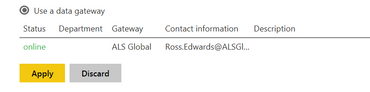
I've configured the gateway and i get the successful linkage as below:

Gateway Status.PNG


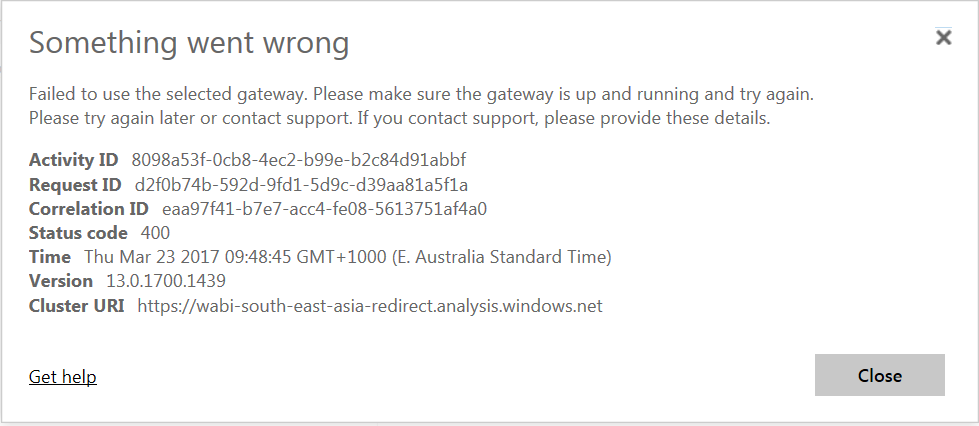
When i attempt to click "Apply" i'm met with the following error:

Error.PNG


For troubleshooting i've split the file up into the 3 source groups. 1 file for each SQL and another for the group of excel files.  Individually, none have an error.  When i have them all together this cryptic mess of an error appears.  Does anyone have any ideas of what might be causing the problem?  I'm able to refresh fine using the refresh button on Power BI desktop.

1 ACCEPTED SOLUTION
Anonymous
Not applicable

I've gone through each of my tables and removed any "Hide in report view" that i have selected.  This appears to be causing the error i have shown here.

View solution in original post

1 REPLY 1
Anonymous
Not applicable

I've gone through each of my tables and removed any "Hide in report view" that i have selected.  This appears to be causing the error i have shown here.

Helpful resources

Announcements
Power BI DataViz World Championships

Power BI Dataviz World Championships

The Power BI Data Visualization World Championships is back! Get ahead of the game and start preparing now!

December 2025 Power BI Update Carousel

Power BI Monthly Update - December 2025

Check out the December 2025 Power BI Holiday Recap!

FabCon Atlanta 2026 carousel

FabCon Atlanta 2026

Join us at FabCon Atlanta, March 16-20, for the ultimate Fabric, Power BI, AI and SQL community-led event. Save $200 with code FABCOMM.

Top Solution Authors