This time we’re going bigger than ever. Fabric, Power BI, SQL, AI and more. We're covering it all. You won't want to miss it.
Learn moreDid you hear? There's a new SQL AI Developer certification (DP-800). Start preparing now and be one of the first to get certified. Register now
I've got a Power BI file that i've published into Power BI Web. The project has 5 data sources. 2 SQL databases and a 3 excel files.
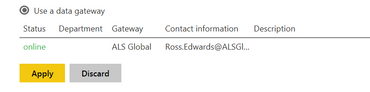
I've configured the gateway and i get the successful linkage as below:
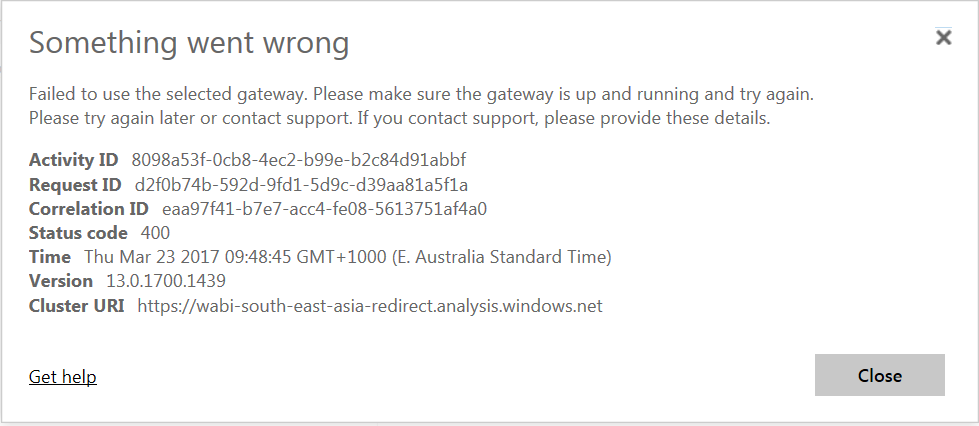
When i attempt to click "Apply" i'm met with the following error:
For troubleshooting i've split the file up into the 3 source groups. 1 file for each SQL and another for the group of excel files. Individually, none have an error. When i have them all together this cryptic mess of an error appears. Does anyone have any ideas of what might be causing the problem? I'm able to refresh fine using the refresh button on Power BI desktop.
Solved! Go to Solution.
I've gone through each of my tables and removed any "Hide in report view" that i have selected. This appears to be causing the error i have shown here.
Check out the April 2026 Power BI update to learn about new features.
Sign up to receive a private message when registration opens and key events begin.
If you have recently started exploring Fabric, we'd love to hear how it's going. Your feedback can help with product improvements.