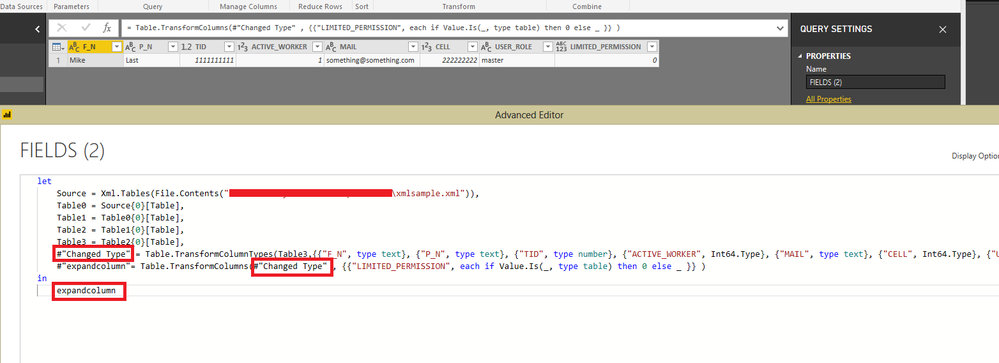
Hello,
I'm loading XML data from a legacy SOAP WS (great post here on how to get it).
Some of the tags are empty and the Get Data interprets it as [Table] array.
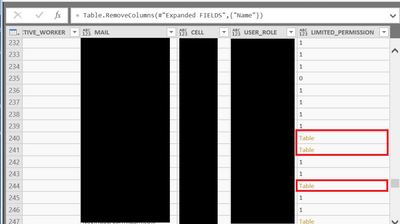
I need to get rid of the [Table] values, turn to 0 or blank.
I've tried all kind of Table.ReplaceValue and can't get it to work.
Below an output example of the XML
<?xml version="1.0" encoding="utf-8"?>
<ROOT>
    <result>
        <CARDS>
            <CARD>
                <FIELDS>
                    <F_N>Mike</F_N>
                    <P_N>Last</P_N>
                    <TID>1111111111</TID>
                    <ACTIVE_WORKER>1</ACTIVE_WORKER>
                    <MAIL>[email protected]</MAIL>
                    <CELL>222222222</CELL>
                    <USER_ROLE>master</USER_ROLE>
                    <LIMITED_PERMISSION></LIMITED_PERMISSION>
                </FIELDS>
            </CARD>
        </CARDS>
    </result>
</ROOT>
[First question in this amazing forum I've been following and learning from for years ....  ]
]