Don't miss your chance to take the Fabric Data Engineer (DP-700) exam on us!
Learn moreNext up in the FabCon + SQLCon recap series: The roadmap for Microsoft SQL and Maximizing Developer experiences in Fabric. All sessions are available on-demand after the live show. Register now
Hi Guys,
I have to extract data from strings. 100 columns and 10k+ rows.
Every row contains column names and corresponded values after semicolon but not each row contains each column.
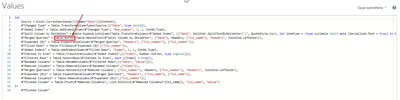
I found solution but I think it is to complicated and can generate errors because of simply use of isOdd/isEven/FillDown functions. For example I had to add Tabel.Buffer to handle errors.
Is there easiest way to get the result?
Link to sample file on my onedrive:
Regards
Jacek
Solved! Go to Solution.
Maybe this will work better. I'm not sure it will, but it's worth a try.
let
Source = Excel.CurrentWorkbook(){[Name="Data"]}[Content],
#"Added Index" = Table.AddIndexColumn(Source, "Index", 1, 1, Int64.Type),
#"To Tables" = Table.TransformColumns(#"Added Index",
{{"Data", each
let
Pairs = List.Split(Text.Split(_, ";"), 2),
ColNames = List.Transform(Pairs, each _{1}),
ColValues = List.Transform(Pairs, each _{0})
in
Record.ToTable(Record.FromList(ColNames, ColValues))
, type table}}
),
#"Expanded Data" = Table.ExpandTableColumn(#"To Tables", "Data", {"Name", "Value"}, {"Name", "Value"}),
#"Pivoted Column" = Table.Pivot(#"Expanded Data", List.Distinct(#"Expanded Data"[Name]), "Name", "Value")
in
#"Pivoted Column"
The idea here is that the ColName;ColRowValue pairs are similar to how a record is structured [ColName=ColRowValue]. I split each text string into a list and then use List.Split to group it into pairs, taking the names from the first element of each pair and the values from the second element of each pair. Then turn that pair of lists into a record and then a table. Expand the tables and pivot on the names.
There may be some possible buffering optimizations but I'll let you experiment with that.
Hi, it works perfectly, i forgot to reply 😞
Maybe this will work better. I'm not sure it will, but it's worth a try.
let
Source = Excel.CurrentWorkbook(){[Name="Data"]}[Content],
#"Added Index" = Table.AddIndexColumn(Source, "Index", 1, 1, Int64.Type),
#"To Tables" = Table.TransformColumns(#"Added Index",
{{"Data", each
let
Pairs = List.Split(Text.Split(_, ";"), 2),
ColNames = List.Transform(Pairs, each _{1}),
ColValues = List.Transform(Pairs, each _{0})
in
Record.ToTable(Record.FromList(ColNames, ColValues))
, type table}}
),
#"Expanded Data" = Table.ExpandTableColumn(#"To Tables", "Data", {"Name", "Value"}, {"Name", "Value"}),
#"Pivoted Column" = Table.Pivot(#"Expanded Data", List.Distinct(#"Expanded Data"[Name]), "Name", "Value")
in
#"Pivoted Column"
The idea here is that the ColName;ColRowValue pairs are similar to how a record is structured [ColName=ColRowValue]. I split each text string into a list and then use List.Split to group it into pairs, taking the names from the first element of each pair and the values from the second element of each pair. Then turn that pair of lists into a record and then a table. Expand the tables and pivot on the names.
There may be some possible buffering optimizations but I'll let you experiment with that.
If you have recently started exploring Fabric, we'd love to hear how it's going. Your feedback can help with product improvements.
A new Power BI DataViz World Championship is coming this June! Don't miss out on submitting your entry.
Share feedback directly with Fabric product managers, participate in targeted research studies and influence the Fabric roadmap.
| User | Count |
|---|---|
| 5 | |
| 4 | |
| 3 | |
| 3 | |
| 2 |
| User | Count |
|---|---|
| 8 | |
| 6 | |
| 6 | |
| 6 | |
| 5 |