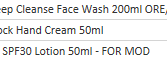
Assuming the column name is Data, use below formula in a custom column
= List.Select(Text.Split([Data]," "),(x)=> try Value.Is(Number.From(Text.Split(Text.Replace(Text.Lower(x),"ml","l"),"l"){0}), type number) otherwise false and Text.Split(Text.Replace(Text.Lower(x),"ml","l"),"l"){1}=""){0}
See the working here - Open a blank query - Home - Advanced Editor - Remove everything from there and paste the below code to test
let
    Source = Table.FromRows(Json.Document(Binary.Decompress(Binary.FromText("i45Wcs5JTcwrTlVwS0xOVQhPLM5QMDIwyM1R8A9yVYrViVbySMxLUXAuSk3MVTAFioPFggPcjA0UfPJLMvPzwKIKugpu/kEKvv4uYPlksHIjM3MfhZLyUrCQhamBr48CWEIpNhYA", BinaryEncoding.Base64), Compression.Deflate)), let _t = ((type nullable text) meta [Serialized.Text = true]) in type table [Data = _t]),
    #"Added Custom" = Table.AddColumn(Source, "Custom", each List.Select(Text.Split([Data]," "),(x)=> try Value.Is(Number.From(Text.Split(Text.Replace(Text.Lower(x),"ml","l"),"l"){0}), type number) otherwise false and Text.Split(Text.Replace(Text.Lower(x),"ml","l"),"l"){1}=""){0}, type text)
in
    #"Added Custom"