cancel
Showing results for 
Search instead for 
Did you mean: 

We've captured the moments from FabCon & SQLCon that everyone is talking about, and we are bringing them to the community, live and on-demand. Starts on April 14th. Register now

Reply
Y3_
Frequent Visitor

Error with publishing

Hey guys,


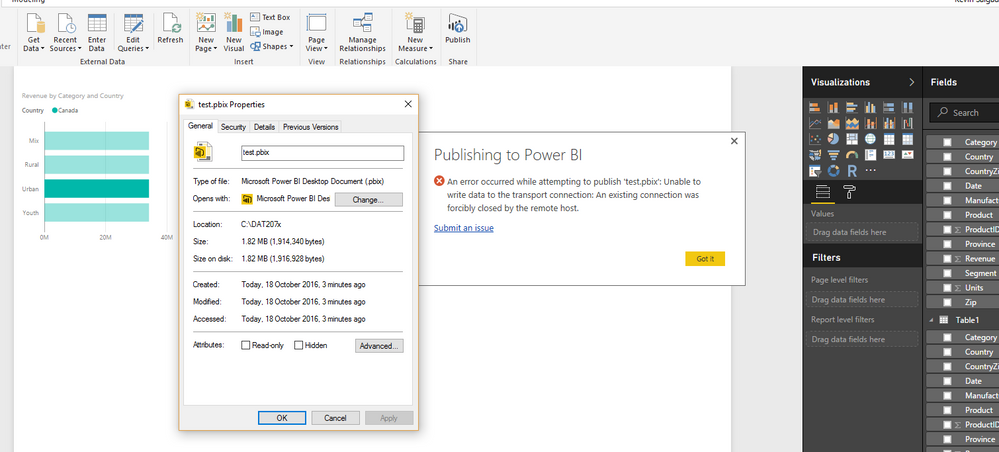
I'm having trouble publishing to power bi service, ongoing problem for 2 days now.


is it because im not a pro user? 


any solutions?


Screenshot (3).png


Thanks,

Y3_

3 REPLIES 3
v-qiuyu-msft
Community Support
Community Support

Hi @Y3_,


Currently, when we publish a PBIX file from Desktop, publish an Excel file to Power BI service, or upload an Excel or PBIX file through Get Data in the service, the maximum file size we can import into Power BI is 1 gigabyte. So in your scenario, please check if the .PBIX file break this limitation.


If the issue is not related to file size, please try to publish the report using Get Data in Power BI to connect to and upload a Power BI Desktop file. If issue persists, please follow below steps to troubleshoot the issue:


1. Create a new .PBIX file then publish it from the Power BI Desktop.

2. Where did you want to locate this published report in Power BI service? My Workspace or Group Workspace?


Best Regards,
Qiuyun Yu

Community Support Team _ Qiuyun Yu
If this post helps, then please consider Accept it as the solution to help the other members find it more quickly.

Thanks for the replay,however im still encountering issues uploading it;


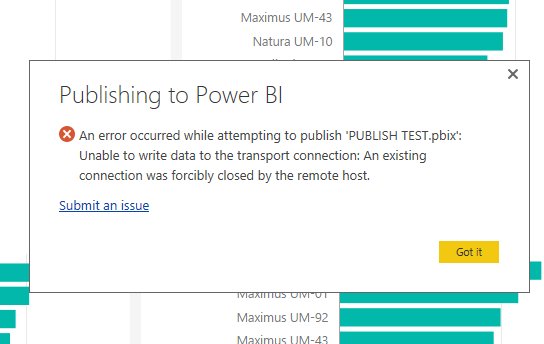
I made a mock file thats fits the size specifications,still same error;


  Screenshot (8).png


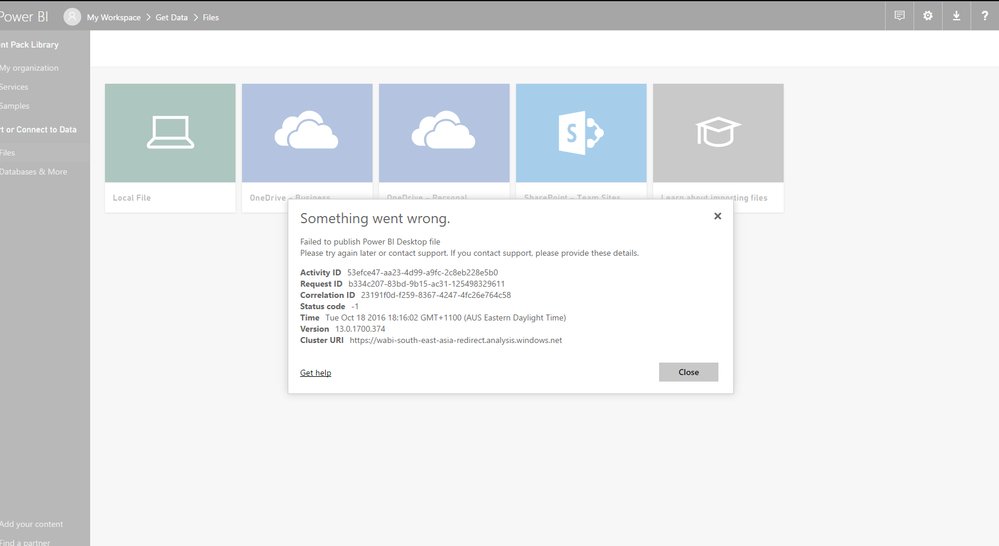
I've also tried grabbing the file to my workspace from the service i also get an error


Screenshot (9).png


I'm currently undertaking a course and i need to be able to publish a file and connect a schedule refresh?

this issue has halted me from progressing any futher, its been 3 days .

If you could help solve this issue quickly it would be greatly apprecitated!


Y3_


Hi @Y3_,


Please enable desktop trace log follow File->Options and settings->Options->Diagnostics to see detail error information in log. Please share it with us if possible. Also you can use Fiddler to monitor http trace.


Best Regards,
Qiuyun Yu

Community Support Team _ Qiuyun Yu
If this post helps, then please consider Accept it as the solution to help the other members find it more quickly.

Helpful resources

Announcements
New to Fabric survey Carousel

New to Fabric Survey

If you have recently started exploring Fabric, we'd love to hear how it's going. Your feedback can help with product improvements.

Power BI DataViz World Championships carousel

Power BI DataViz World Championships - June 2026

A new Power BI DataViz World Championship is coming this June! Don't miss out on submitting your entry.

Join our Fabric User Panel

Join our Fabric User Panel

Share feedback directly with Fabric product managers, participate in targeted research studies and influence the Fabric roadmap.

March Power BI Update Carousel

Power BI Community Update - March 2026

Check out the March 2026 Power BI update to learn about new features.