Don't miss your chance to take the Fabric Data Engineer (DP-600) exam for FREE! Find out how by attending the DP-600 session on April 23rd (pacific time), live or on-demand.
Learn moreJoin the FabCon + SQLCon recap series. Up next: Power BI, Real-Time Intelligence, IQ and AI, and Data Factory take center stage. All sessions are available on-demand after the live show. Register now
Hello ..
I have a problem that happened suddenly ..
I created a desktop Power Bi project... Downloaded on-Premises Gateway...
and then I publish everything on the web...
everything went fine it get all data fine ... for a week and 2 days..
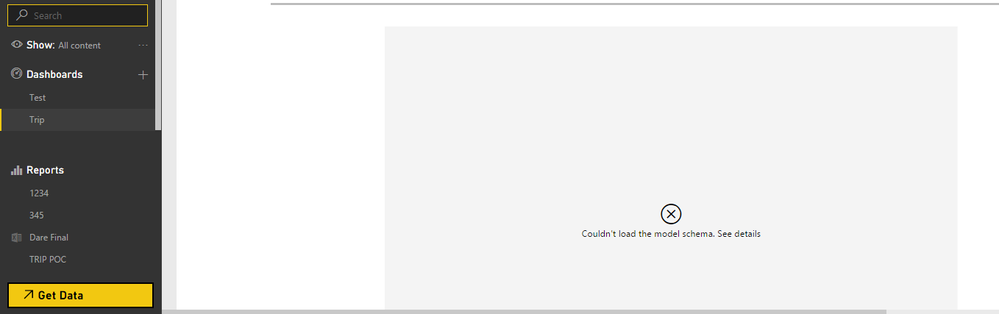
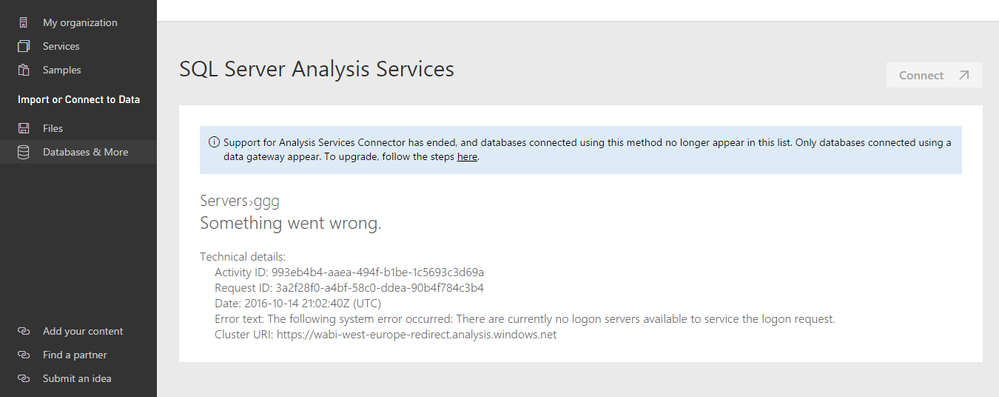
and suddenly today will not get data .. when I try to Get Data.. it gave me an error..
Hi @Anonymous,
The above error could occur when your email address which is used to sign in Power BI doesn’t match a defined UPN within the local Active Directory Domain. There are several proposals for you troubleshooting this issue.
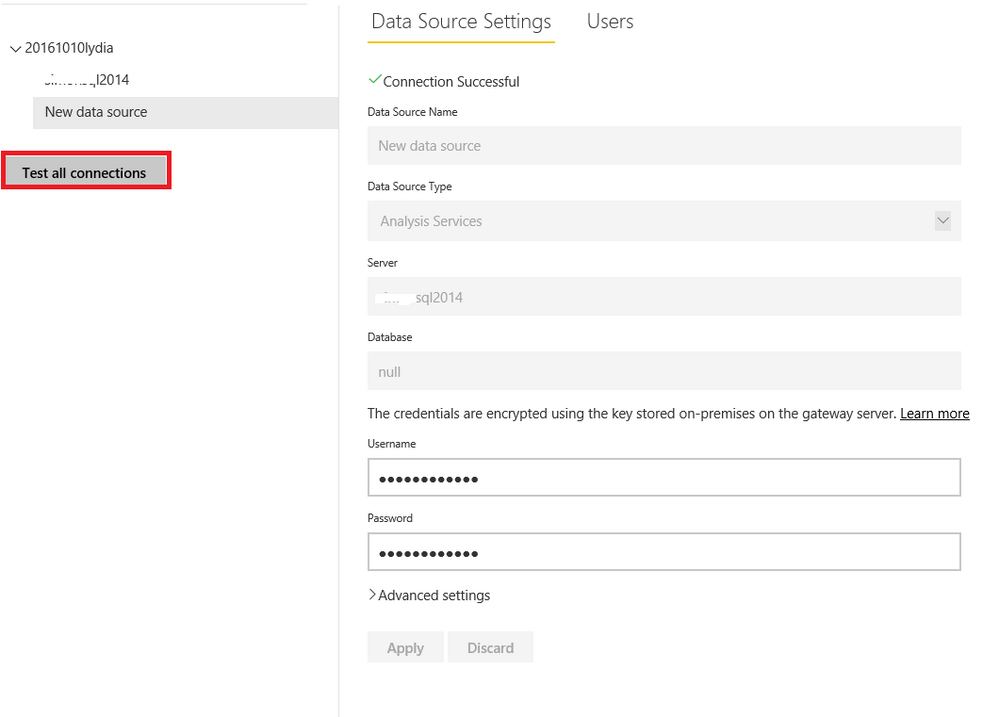
Firstly, after you add SSAS data source under on-premises gateway, please check if the connection is successful by clicking the “Test all connections” button as shown in the following screenshot.
Secondly, please check that if the email address that you sign into Power BI service matches the defined UPN within the local Active Directory Domain following the instructions in this article. If your Power BI service login names do not match your local directory UPN, you can use the Map user names feature to create UPN mappings for Analysis Services Live connections that go through the on-premises gateway for Power BI.
Thanks,
Lydia Zhang
Check out the April 2026 Power BI update to learn about new features.
If you have recently started exploring Fabric, we'd love to hear how it's going. Your feedback can help with product improvements.
A new Power BI DataViz World Championship is coming this June! Don't miss out on submitting your entry.
| User | Count |
|---|---|
| 5 | |
| 3 | |
| 3 | |
| 3 | |
| 2 |
| User | Count |
|---|---|
| 7 | |
| 5 | |
| 5 | |
| 5 | |
| 4 |