cancel
Showing results forย 
Search instead forย 
Did you mean:ย 

July 7 - July 17 | Round 2 of the Power BI Dataviz World Championships. Don't miss your chance! Learn more

Reply
trt18-sistemas
Advocate IV
Advocate IV

Dataset Refresh API doesn't work from Power Query

Hi there,

I'm trying to implement a Power Query Script that refresh a dataset by using "Dataset - Refresh Dataset in Group" REST API (https://learn.microsoft.com/en-us/rest/api/power-bi/datasets/refresh-dataset-in-group).

I can trigger the dataset refresh by using Postman or direct using the "Try it" API page (https://learn.microsoft.com/en-us/rest/api/power-bi/datasets/refresh-dataset-in-group#code-try-0), but when I call for this API by using Power Query at Power BI Desktop, it just doesn't work.
Bellow is Power Query Script, where GetAccessToken is a separated Query that calls for Microsft API in order to retrieve a valid Token. It's working fine. I can say that because when I use the token return by GetAccessToken query and use it at Postman, it works.


let
    auto_token = "Bearer " & GetAccessToken,
    url_datasetlist = "https://api.powerbi.com/v1.0/myorg/groups/workspace_id00000/datasets/dataset_id00000/refreshes",
    content_type = "application/x-www-form-urlencoded",
    body="NotificationOption=MailOnCompletion",
    Source = Json.Document(Web.Contents(url_datasetlist, [Headers=[Authorization=auto_token, #"Content-Type"=content_type, Content=body]]))
in 
    Source


Source content is a record as you can see below:

 

trt18sistemas_0-1685377219439.png


Could any body help me find the problem? Any tip of what I'm doing wrong?


2 REPLIES 2
Anonymous
Not applicable

Hi @trt18-sistemas ,


It seems that the issue is with the content_type parameter in the header. The content_type parameter should be set to "application/json" instead of "application/x-www-form-urlencoded". Try changing the content_type parameter to "application/json" and see if that resolves the issue.

Try the modified code:

let
    auto_token = "Bearer " & GetAccessToken,
    url_datasetlist = "https://api.powerbi.com/v1.0/myorg/groups/workspace_id00000/datasets/dataset_id00000/refreshes",
    content_type = "application/json",
    body = "{""notifyOption"": ""MailOnCompletion""}",
    Source = Json.Document(Web.Contents(url_datasetlist, [Headers=[Authorization=auto_token, #"Content-Type"=content_type], Content=Text.ToBinary(body)]))
in 
    Source


Best Regards,

Stephen Tao


If this post helps, then please consider Accept it as the solution to help the other members find it more quickly.           

Hi @Anonymous ,

Thanks for your reply. I forget to mention that I've tried using Json and it returned a error. I've pasted your code on Power BI and the same error pop up again (message below). In this case, seems that the problem is how message is formated, but I can't see any thing wrong on the content.

trt18sistemas_0-1685536566425.png


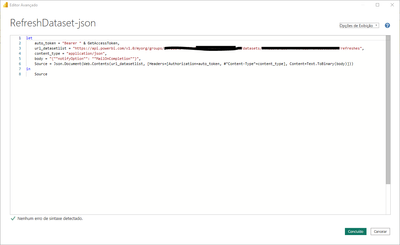
Just in case, here is the print screen from my M code:


trt18sistemas_1-1685536910166.png


Helpful resources

Announcements
FabCon and SQLCon Barcelona 2026

FabCon & SQLCon โ€“ Barcelona 2026

Join us in Barcelona for FabCon and SQLCon, the Fabric, Power BI, SQL, and AI community event. Save โ‚ฌ200 with code FABCMTY200.

July Power BI Update Carousel

Power BI Monthly Update - July 2026

Check out the July 2026 Power BI update to learn about new features.

60 days of Data Days Carousel

Data Days 2026

Join Data Days 2026: 60 days of free live/on-demand sessions, challenges, study groups, and certification opportunities.

Power BI DataViz World Championships carousel

Power BI DataViz World Championships - June 2026

A new Power BI DataViz World Championship is coming this June! Don't miss out on submitting your entry.

Top Solution Authors