

cancel
Showing results for 
Search instead for 
Did you mean: 

Data Days is here! Join us now for 60+ days of learning, challenges, and connection. Learn more

Reply
tex628
Community Champion
Community Champion

Dataflow decimal formatting

Hello! 

I've got several tables uploaded to PBI dataflows and further using them for a report. 

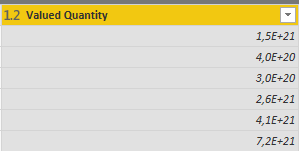
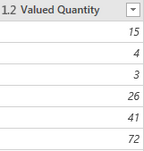
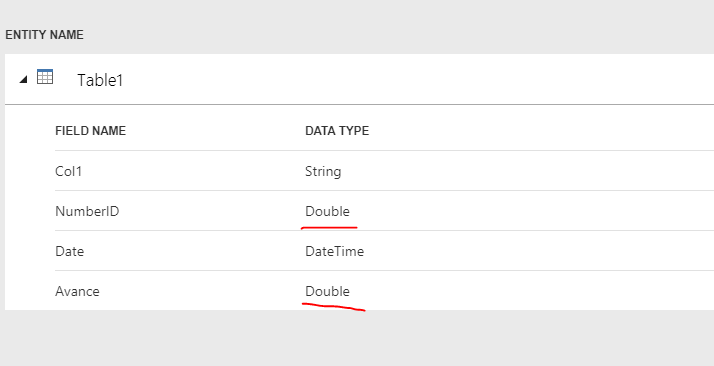
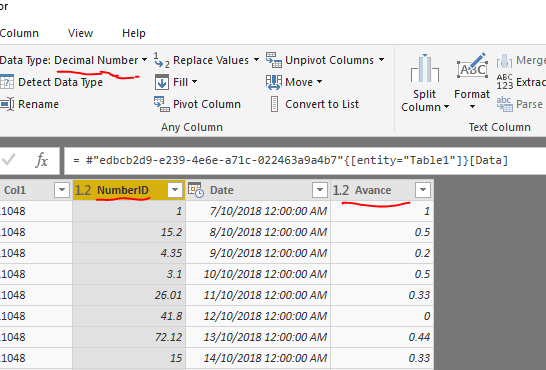
The columns that are in decimal format are not coming out correctly in PBI Desktop:

PBI DesktopPBI DesktopPBI DataflowsPBI Dataflows

Do we know what causes this to occur and how to possibly fix it?

Br,
Johannes


Connect on LinkedIn
1 ACCEPTED SOLUTION

I'm experiencing the exact same problem. I use dataflows, power BI desktop and then I publish to power BI service.

I use Locale for import: Dutch (Belgium), in power BI desktop.


this makes dataflows unusable until fixed. Smiley Sad


for more info see my post below:

https://community.powerbi.com/t5/Issues/Dataflows-UK-US-Date-Format/idc-p/586344/highlight/true#M362...


@MatthewRoche is de product development team aware of this issue? 

View solution in original post

5 REPLIES 5
Anonymous
Not applicable

@tex628,

I am unable to reproduce this issue on my side. Have you  changed the type of the columns in Dataflow to decimal number?

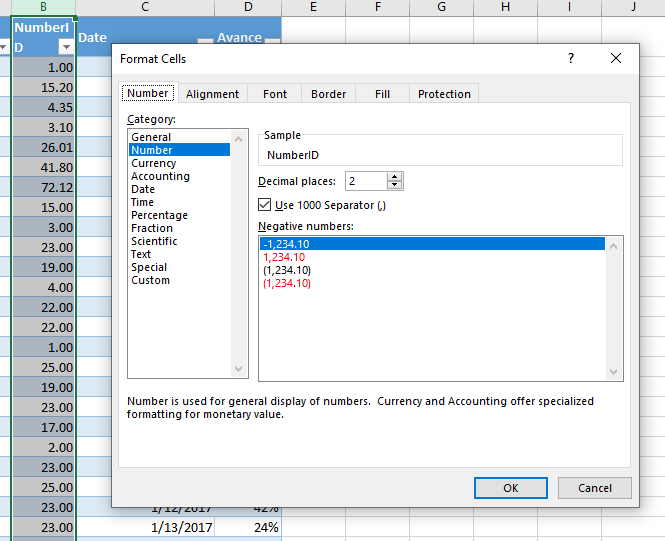
Source excel fileSource excel filedataflowdataflowdataflowdataflowPower BI DesktopPower BI Desktop

Regards,
Lydia

tex628
Community Champion
Community Champion

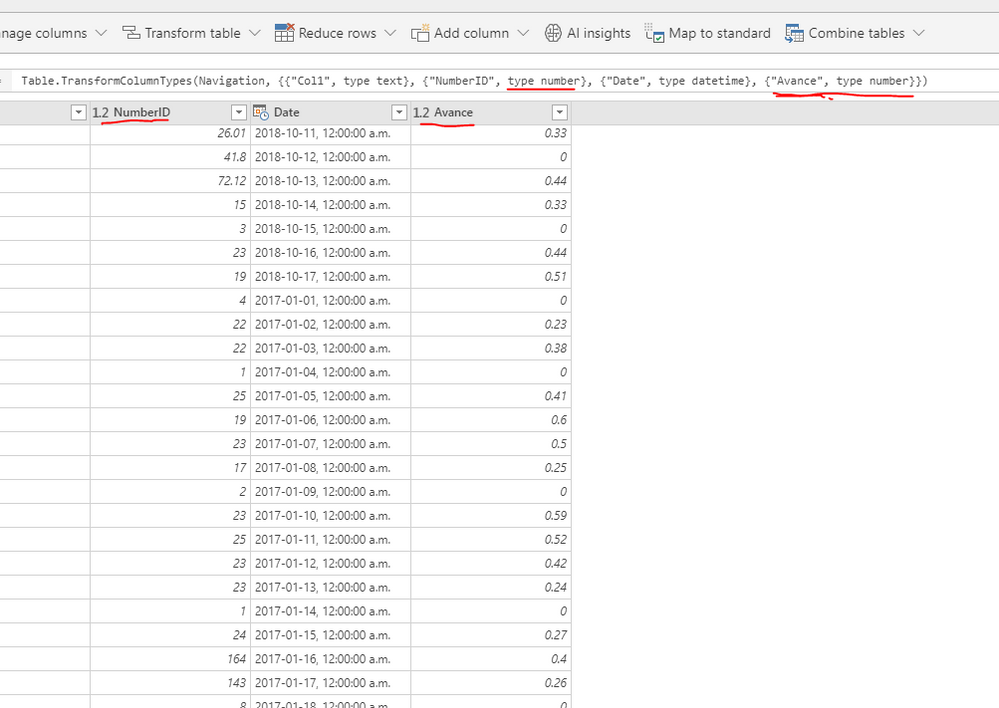
My source is MSSQL Server. So that might be a factor. But this is the formatting settings: 

DataflowsDataflowsDataflowsDataflows
PBI DesktopPBI Desktop

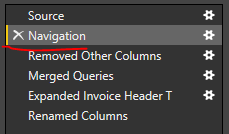
Previous image is taken with raw data from flows, no transformations

Previous image is taken with raw data from flows, no transformationsPrevious image is taken with raw data from flows, no transformations

Any idea's?


Connect on LinkedIn
Anonymous
Not applicable

@tex628,

What data type do you set for the column in SQL Server? Could you please the original sample data in SQL Server table? It seems that you store whole numbers as decimal number in SQL Server table.

Regards,
Lydia

I'm experiencing the exact same problem. I use dataflows, power BI desktop and then I publish to power BI service.

I use Locale for import: Dutch (Belgium), in power BI desktop.


this makes dataflows unusable until fixed. Smiley Sad


for more info see my post below:

https://community.powerbi.com/t5/Issues/Dataflows-UK-US-Date-Format/idc-p/586344/highlight/true#M362...


@MatthewRoche is de product development team aware of this issue? 

tex628
Community Champion
Community Champion

Thanks for the information @sebadb9, a fix would be wonderfull. 

/ Johannes


Connect on LinkedIn

Helpful resources

Announcements
Fabric Data Days is here Carousel

Fabric Data Days 2026

Don't miss out on Data Days, June 15 through August 7. Learn Fabric, Power BI, SQL, AI and more.

May Power BI Update Carousel

Power BI Monthly Update - May 2026

Check out the May 2026 Power BI update to learn about new features.

Power BI DataViz World Championships carousel

Power BI DataViz World Championships - June 2026

A new Power BI DataViz World Championship is coming this June! Don't miss out on submitting your entry.