cancel
Showing results for 
Search instead for 
Did you mean: 

Try your skills in the Power BI Dataviz World Championship! Round one ends June 26. Join now

Reply
GellaiTamas
Helper I
Helper I

Data source access fails by a data gateway

Hi everyone,


Before explaining the issue, please let me tell what I'm working on and what is the current system setup looks like.


I'd like to create Power BI reports from an SQL database and embed the visuals into a Sharepoint page.


1. I have an SQL Server database on a VM within my company. 

2. An On-Premise Data Gateway is installed on this VM and I can reach the required data with Power BI Desktop (I'm using DirectQuery connection)

3. This part is working well, if I add new records to the database, the reports in the desktop versions get updated.

+ I subscribed to the trial version of Power BI Pro.


Problem comes when I try to publish the desktop report to powerbi.com so that I can then embed it into Sharepoint.

Power BI Desktop says after clicking on Publish:
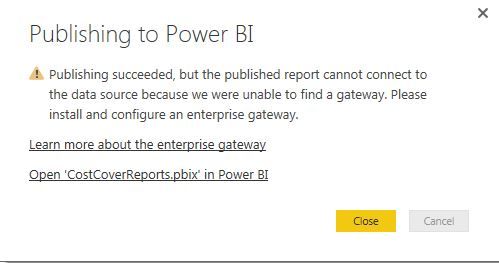
 

publishing succeeded.JPG


Although I have the necessary gateway set up:
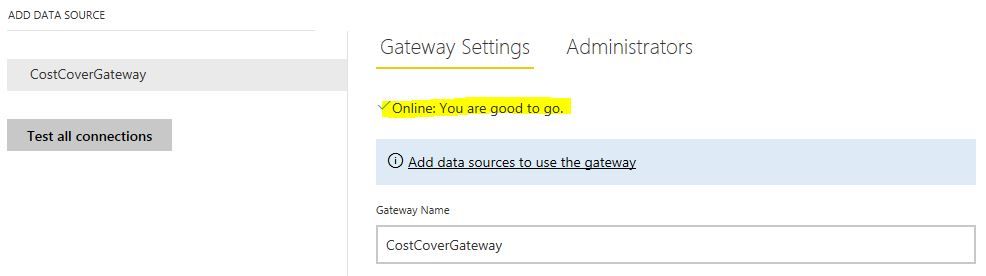
 

gateway ok.JPG


I can actually see the report online but like this:
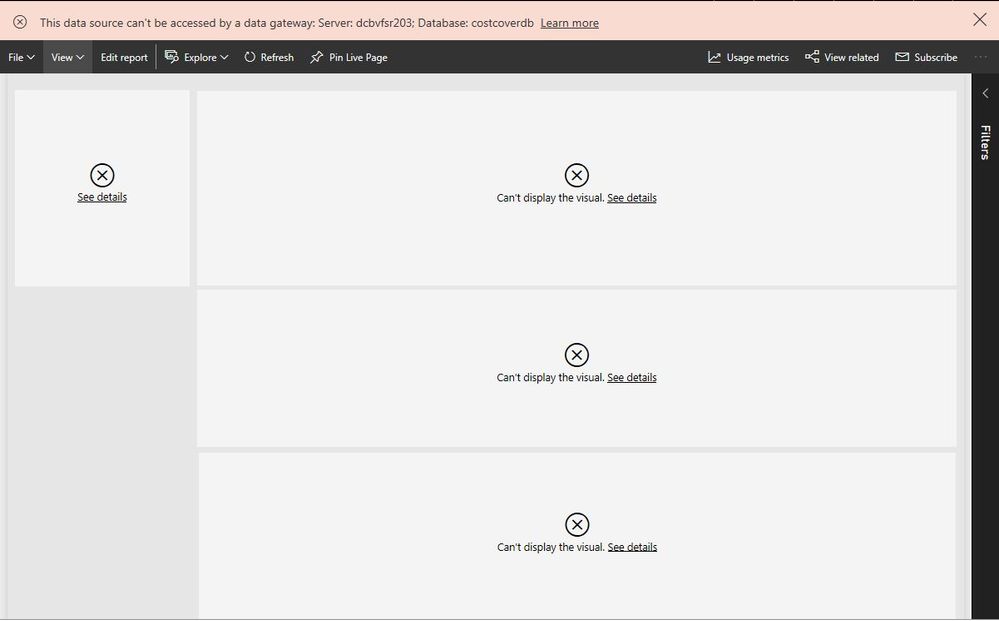
 

cannot be accessed.JPG 


Any suggestions how to tackle this?


Cheers,

Tamás

1 ACCEPTED SOLUTION
Anonymous
Not applicable

@GellaiTamas,

Based on your screenshots, you haven't added the SQL Server database within the gateway. Please follow the instructions in this article to add your SQL data source under the gateway.

Regards,

Lydia

View solution in original post

4 REPLIES 4
Anonymous
Not applicable

@GellaiTamas,

Based on your screenshots, you haven't added the SQL Server database within the gateway. Please follow the instructions in this article to add your SQL data source under the gateway.

Regards,

Lydia

Thank you very much, @Anonymous, it works now. I've tried this before but kept getting error messages. Now I know why: I'm working from home and remote access gateway was not set up... 

Anonymous
Not applicable

@GellaiTamas First check, make sure the connection strings match exactly. Second, you can check the gateway log files to see if there is a more specific error in them. Here is a link to the troubleshooting guide.


Installer logs

%localappdata%\Temp\On-premises_data_gateway_*.log

Configuration logs

%localappdata%\Microsoft\on-premises data gateway\GatewayConfigurator*.log

On-premises data gateway service logs

C:\Users\PBIEgwService\AppData\Local\Microsoft\on-premises data gateway\Gateway*.log

Thanks, @Anonymous, very useful info!

Helpful resources

Announcements
Fabric Data Days is here Carousel

Data Days 2026

Don't miss out on Data Days, June 15 through August 7. Learn Fabric, Power BI, SQL, AI and more.

May Power BI Update Carousel

Power BI Monthly Update - May 2026

Check out the May 2026 Power BI update to learn about new features.

Power BI DataViz World Championships carousel

Power BI DataViz World Championships - June 2026

A new Power BI DataViz World Championship is coming this June! Don't miss out on submitting your entry.