Hi,
I am taking data from M language query from Azure Application insights. But while refreshing the data, we are getting error (500: internal server error).
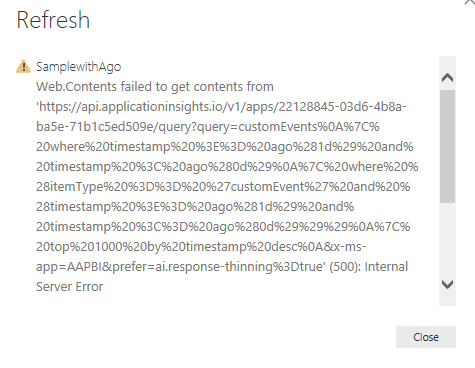
Below is the error i am getting from power bi. But now able to understand the issue.
DataSource.Error: Web.Contents failed to get contents from 'https://api.applicationinsights.io/v1/apps/22128845-03d6-4b8a-ba5e-71b1c5ed509e/query?query=pageViews%0A%7C%20where%20timestamp%20%3E%3D%20datetime%282018-02-07T14%3A59%3A59.999Z%29%20and%20timestamp%20%3C%20datetime%282018-02-14T15%3A00%3A00.001Z%29%0A%7C%20where%20%28itemType%20%3D%3D%20%27pageView%27%20and%20%28timestamp%20%3E%3D%20datetime%282018-02-07T15%3A00%3A00.000Z%29%20and%20timestamp%20%3C%3D%20datetime%282018-02-14T15%3A00%3A00.000Z%29%29%29%0A%7C%20top%201000%20by%20timestamp%20desc%0A&x-ms-app=AAPBI&prefer=ai.response-thinning%3Dtrue' (500): Internal Server Error
Details:
    DataSourceKind=Web
    DataSourcePath=https://api.applicationinsights.io/v1/apps/22128845-03d6-4b8a-ba5e-71b1c5ed509e/query
    Url=https://api.applicationinsights.io/v1/apps/22128845-03d6-4b8a-ba5e-71b1c5ed509e/query?query=pageViews%0A%7C%20where%20timestamp%20%3E%3D%20datetime%282018-02-07T14%3A59%3A59.999Z%29%20and%20timestamp%20%3C%20datetime%282018-02-14T15%3A00%3A00.001Z%29%0A%7C%20where%20%28itemType%20%3D%3D%20%27pageView%27%20and%20%28timestamp%20%3E%3D%20datetime%282018-02-07T15%3A00%3A00.000Z%29%20and%20timestamp%20%3C%3D%20datetime%282018-02-14T15%3A00%3A00.000Z%29%29%29%0A%7C%20top%201000%20by%20timestamp%20desc%0A&x-ms-app=AAPBI&prefer=ai.response-thinning%3Dtrue
Below is the source code i am using:
let AnalyticsQuery =
let Source = Json.Document(Web.Contents("https://api.applicationinsights.io/v1/apps/22128845-03d6-4b8a-ba5e-71b1c5ed509e/query",
[Query=[#"query"="pageViews
| where timestamp >= datetime(2018-02-07T14:59:59.999Z) and timestamp < datetime(2018-02-14T15:00:00.001Z)
| where (itemType == 'pageView' and (timestamp >= datetime(2018-02-07T15:00:00.000Z) and timestamp <= datetime(2018-02-14T15:00:00.000Z)))
| top 1000 by timestamp desc
",#"x-ms-app"="AAPBI",#"prefer"="ai.response-thinning=true"],Timeout=#duration(1,0,4,0)])),
TypeMap = #table(
{ "AnalyticsTypes", "Type" },
{
{ "string",   Text.Type },
{ "int",      Int32.Type },
{ "long",     Int64.Type },
{ "real",     Double.Type },
{ "timespan", Duration.Type },
{ "datetime", DateTimeZone.Type },
{ "bool",     Logical.Type },
{ "guid",     Text.Type },
{ "dynamic",  Text.Type }
}),
DataTable = Source[tables]{0},
Columns = Table.FromRecords(DataTable[columns]),
ColumnsWithType = Table.Join(Columns, {"type"}, TypeMap , {"AnalyticsTypes"}),
Rows = Table.FromRows(DataTable[rows], Columns[name]),
Table = Table.TransformColumnTypes(Rows, Table.ToList(ColumnsWithType, (c) => { c{0}, c{3}}))
in
Table
in
    AnalyticsQuery
Can anyone please help what is wrong here? How we can get the data refreshed?
Any help with this is really appreciated!
Thanks,


