cancel
Showing results for 
Search instead for 
Did you mean: 

The Power BI Data Visualization World Championships is back! It's time to submit your entry. Live now!

Reply
camelia_
Frequent Visitor

Cumulative line chart

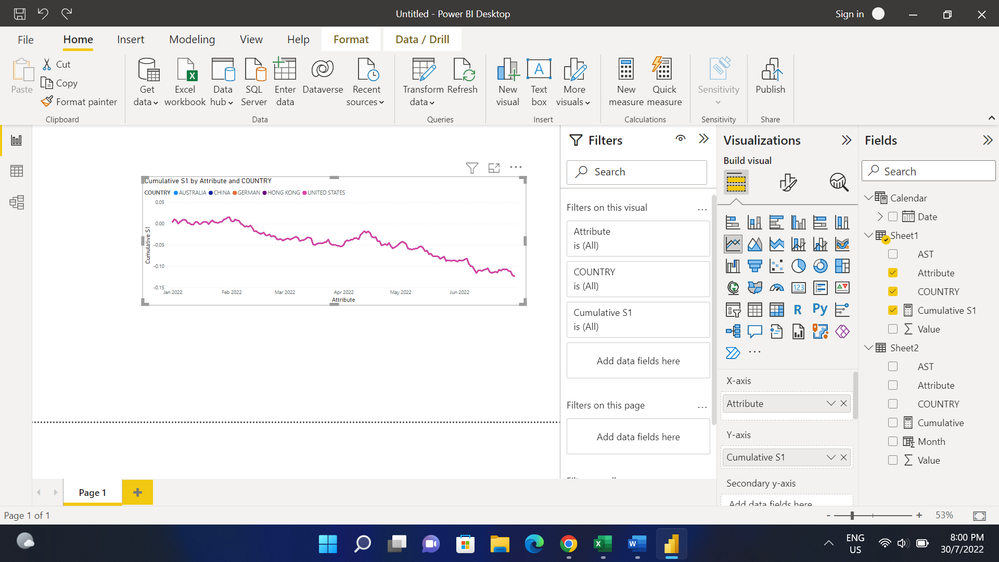
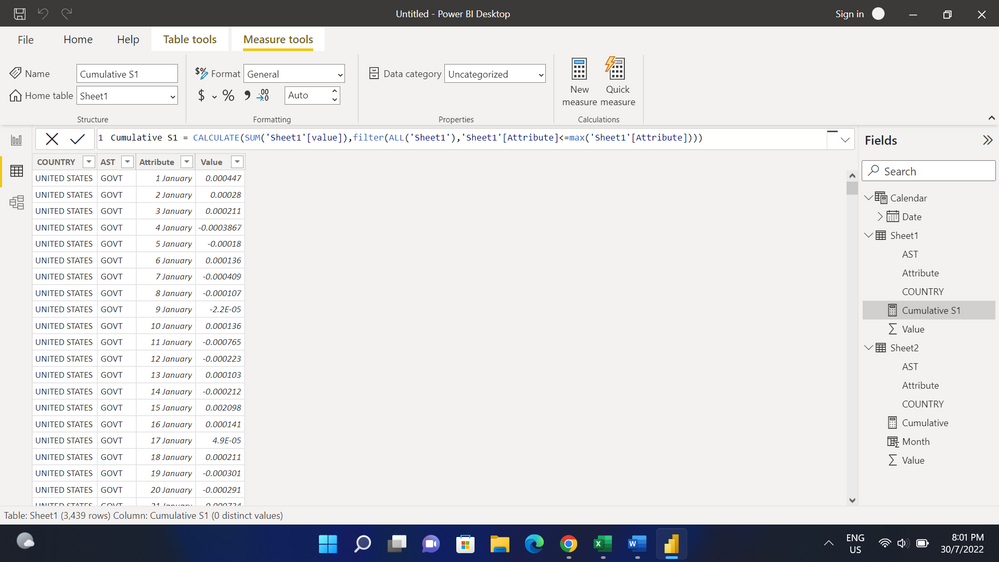
hiii, currently I am doing cumulative line chart and i want to sort it based on country. But after i use the below measure, what i get is that for all country is the same value. It suppose to have different line and value for each country. Can someone help me figure this out? Thank you so muchh.

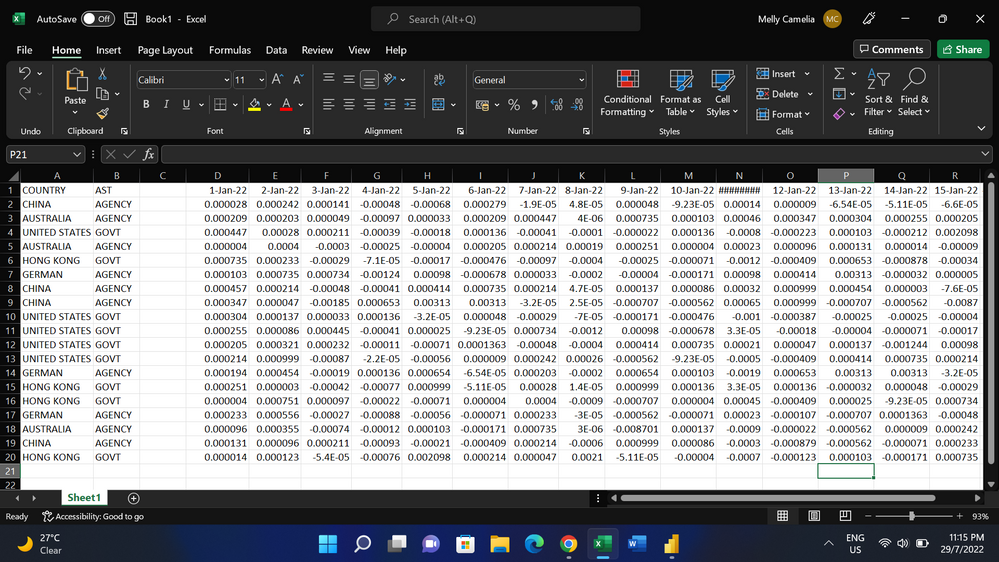
And also i need to do a weekly cumulative line chart, can anyone show me the steps on how to do it? thanks in advanceScreenshot (9).png
Screenshot (11).pngScreenshot (12).png

1 ACCEPTED SOLUTION
AlexisOlson
Super User
Super User

The ALL() function removes the country filter context. You need to preserve that filter context to separate countries.


I'd probably write the measure something like this:

Cumulative S1 =
VAR _Max = MAX ( Sheet1[Attribute] )
RETURN
    CALCULATE (
        SUM ( Sheet1[Value] ),
        ALLSELECTED ( Sheet1 ),
        VALUES ( Sheet1[COUNTRY] ),
        Sheet1[Attribute] <= _Max
    )


Recommended reading:

https://www.sqlbi.com/articles/using-allexcept-versus-all-and-values/

View solution in original post

2 REPLIES 2
v-jingzhang
Community Support
Community Support

Hi @camelia_ 


Have you tried @AlexisOlson 's measure? It should work. 


Since you have a Date table in the model, you can add a week column (or a YearWeek column) to it. Then use the week column for the weekly cumulative line chart. 


Best regards,

Community Support Team_Jing

AlexisOlson
Super User
Super User

The ALL() function removes the country filter context. You need to preserve that filter context to separate countries.


I'd probably write the measure something like this:

Cumulative S1 =
VAR _Max = MAX ( Sheet1[Attribute] )
RETURN
    CALCULATE (
        SUM ( Sheet1[Value] ),
        ALLSELECTED ( Sheet1 ),
        VALUES ( Sheet1[COUNTRY] ),
        Sheet1[Attribute] <= _Max
    )


Recommended reading:

https://www.sqlbi.com/articles/using-allexcept-versus-all-and-values/

Helpful resources

Announcements
FabCon Atlanta 2026 carousel

FabCon Atlanta 2026

Join us at FabCon Atlanta, March 16-20, for the ultimate Fabric, Power BI, AI and SQL community-led event. Save $200 with code FABCOMM.