Hello everyone,
I need your help on the connection with sharepoint.
Before I start, I'll quickly explain how my company's sharepoint looks like.
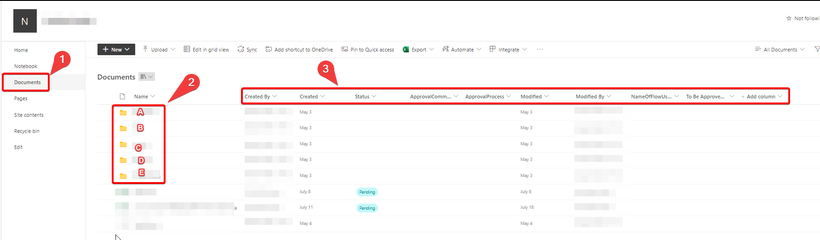
First of all in the section "Document" (see number 1 on the screenshot) we have several folders (ABCDE --> see number 2 on the screenshot). We also have several columns (see number 3 on the screenshot).
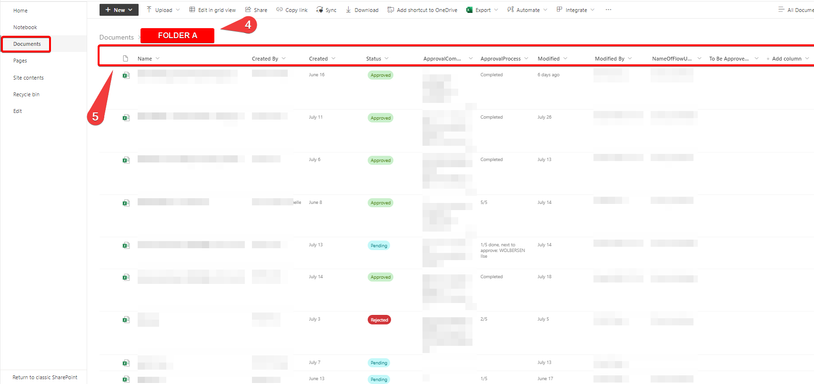
When I click on one of the folders (ABCDE --> see number 4 on the screenshot) I have a sharepoint list that appears with the same columns (see number 5 on the screenshot). In this sharepoint list I have several excel files as well as a lot of data and it is these data that I want to extract on power BI.
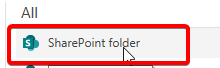
Unfortunately when I try the "sharepoint folder" connector in power bi it only allows me to combine the excel files and does not allow me to have the column data.
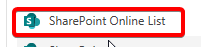
Moreover, when I try to use the "sharepoint online lists" connector I am only able to get the column data from the previous step and not the data inside the folder.
my question is if it is possible to extract the data from a sharepoint list inside a sharepoint folder.
I really need your help if you have a solution.
thanks for your help


