Join us at FabCon Atlanta from March 16 - 20, 2026, for the ultimate Fabric, Power BI, AI and SQL community-led event. Save $200 with code FABCOMM.
Register now!Learn from the best! Meet the four finalists headed to the FINALS of the Power BI Dataviz World Championships! Register now
Hi Guys, is there a way to count all of the columns available on the table?
I have query that combines all of the table in a folder, as part of countermeasure that it will not lag I want to know first the # of columns available in each table. I have already tried to create a function using the Table.ColumnCount but it seems like it gives me the overall column count, opposed to what I want- wherein it will count per table
Solved! Go to Solution.
Hi @krixtsup3r ,
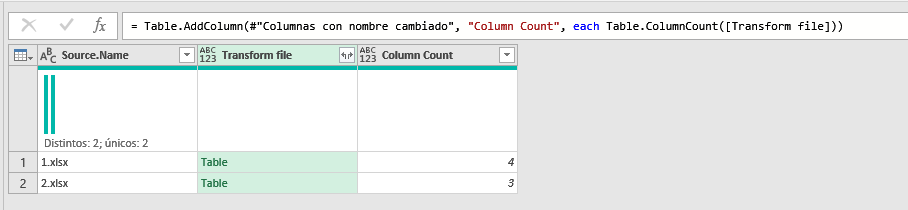
For me it works by adding a Custom Column and typing:
Table.ColumnCount([Transform File])
Hi @krixtsup3r ,
For me it works by adding a Custom Column and typing:
Table.ColumnCount([Transform File])
Hey man @Payeras_BI that worked!
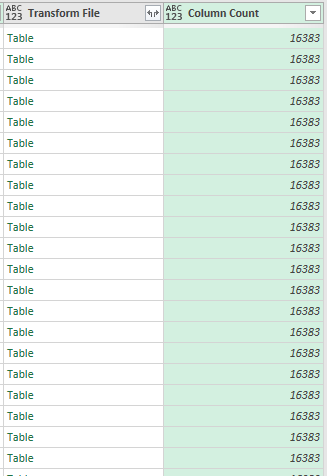
I just checked and what I did is actually correct but in a longer method and also 16383 is actually the maxed column that can be added in an Excel file and just noticed that all of my files got **bleep**ed up.
Thank you so much!
Share feedback directly with Fabric product managers, participate in targeted research studies and influence the Fabric roadmap.
Check out the February 2026 Power BI update to learn about new features.