This time we’re going bigger than ever. Fabric, Power BI, SQL, AI and more. We're covering it all. You won't want to miss it.
Learn moreLevel up your Power BI skills this month - build one visual each week and tell better stories with data! Get started
Hi Guys, is there a way to count all of the columns available on the table?
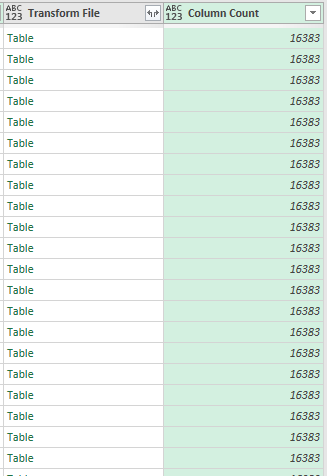
I have query that combines all of the table in a folder, as part of countermeasure that it will not lag I want to know first the # of columns available in each table. I have already tried to create a function using the Table.ColumnCount but it seems like it gives me the overall column count, opposed to what I want- wherein it will count per table
Solved! Go to Solution.
Hi @Anonymous ,
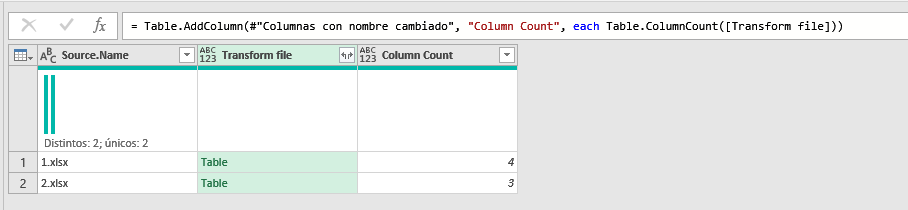
For me it works by adding a Custom Column and typing:
Table.ColumnCount([Transform File])
@Anonymous
Hi @Anonymous ,
For me it works by adding a Custom Column and typing:
Table.ColumnCount([Transform File])
Hey man @Payeras_BI that worked!
I just checked and what I did is actually correct but in a longer method and also 16383 is actually the maxed column that can be added in an Excel file and just noticed that all of my files got **bleep**ed up.
Thank you so much!
Check out the April 2026 Power BI update to learn about new features.
Sign up to receive a private message when registration opens and key events begin.
If you have recently started exploring Fabric, we'd love to hear how it's going. Your feedback can help with product improvements.
| User | Count |
|---|---|
| 3 | |
| 2 | |
| 2 | |
| 2 | |
| 2 |