Get certified for free when you join Fabric Data Days 2026 and dive into Fabric, Power BI, SQL, AI, and other essential data skills.
Join nowJuly 7 - July 17 | Round 2 of the Power BI Dataviz World Championships. Don't miss your chance! Learn more
Hi Guys, is there a way to count all of the columns available on the table?
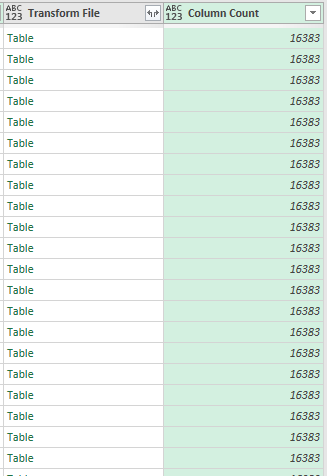
I have query that combines all of the table in a folder, as part of countermeasure that it will not lag I want to know first the # of columns available in each table. I have already tried to create a function using the Table.ColumnCount but it seems like it gives me the overall column count, opposed to what I want- wherein it will count per table
Solved! Go to Solution.
Hi @Anonymous ,
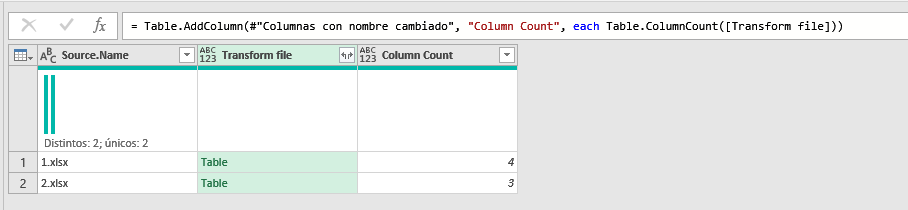
For me it works by adding a Custom Column and typing:
Table.ColumnCount([Transform File])
@Anonymous
Hi @Anonymous ,
For me it works by adding a Custom Column and typing:
Table.ColumnCount([Transform File])
Hey man @Payeras_BI that worked!
I just checked and what I did is actually correct but in a longer method and also 16383 is actually the maxed column that can be added in an Excel file and just noticed that all of my files got **bleep**ed up.
Thank you so much!
Join us in Barcelona for FabCon and SQLCon, the Fabric, Power BI, SQL, and AI community event. Save €200 with code FABCMTY200.
Join Data Days 2026: 60 days of free live/on-demand sessions, challenges, study groups, and certification opportunities.