Join us at FabCon Atlanta from March 16 - 20, 2026, for the ultimate Fabric, Power BI, AI and SQL community-led event. Save $200 with code FABCOMM.
Register now!Vote for your favorite vizzies from the Power BI Dataviz World Championship submissions. Vote now!
Hi,
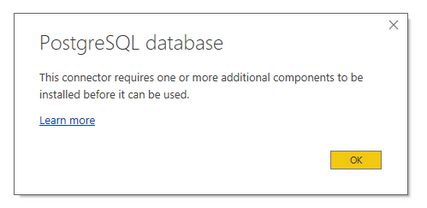
I need to get data from PostgreSQL data base, but when I choose this option in Power BI desktop I get this message :
After installation of Npgsql the problem stays the same.
@Marcin,
What version of Npgsql do you install? And do you connect to the PostgreSQL database in the latest version of Power BI Desktop(2.50.4859.782)?
In my environment, I installed Npgsql 3.1.8 and there is no issues when I connect to PostgreSQL in 32 bit Power BI Desktop.
Regards,
Lydia
Hi,
I have lastest Version: 2.50.4859.782 64-bit (September 2017) of Power BI.
Npgsql version 3.2.5 and it didn't help.
I found this solution which helped but is not easy to implement :
http://www.cloudfronts.com/power-bi-connectivity-to-postgresql/
@Marcin,
Please install Npgsql 3.1.8 and 32 bit Power BI Desktop instead, then check if you can connect to postgresql database.
Regards,
Lydia
If you love stickers, then you will definitely want to check out our Community Sticker Challenge!
Check out the January 2026 Power BI update to learn about new features.
| User | Count |
|---|---|
| 15 | |
| 11 | |
| 11 | |
| 8 | |
| 6 |