cancel
Showing results for 
Search instead for 
Did you mean: 

The Power BI Data Visualization World Championships is back! Get ahead of the game and start preparing now! Learn more

Reply
Parco
Regular Visitor

Checking keywords from another table

Hi, 


I have one keyword table (table1)

ABC
DE
FG
HI
JK


and a table to be checked (table2)

ABC-3
aABCD
YHIK
FGGG
JKKJ
DEA_B


May I ask how to give out the following result for table2 while both table 1 and 2 will be updated for more elements.

2ABC-3ABC
ABCDABC
YHIKHI
FGGGFG
JKKJJK
DEA_BDE


Thank you.


1 ACCEPTED SOLUTION
Anonymous
Not applicable

Hi @Parco ,


Here's my solution.

1.Add a custom column to insert the table2.

vstephenmsft_0-1659515559933.png

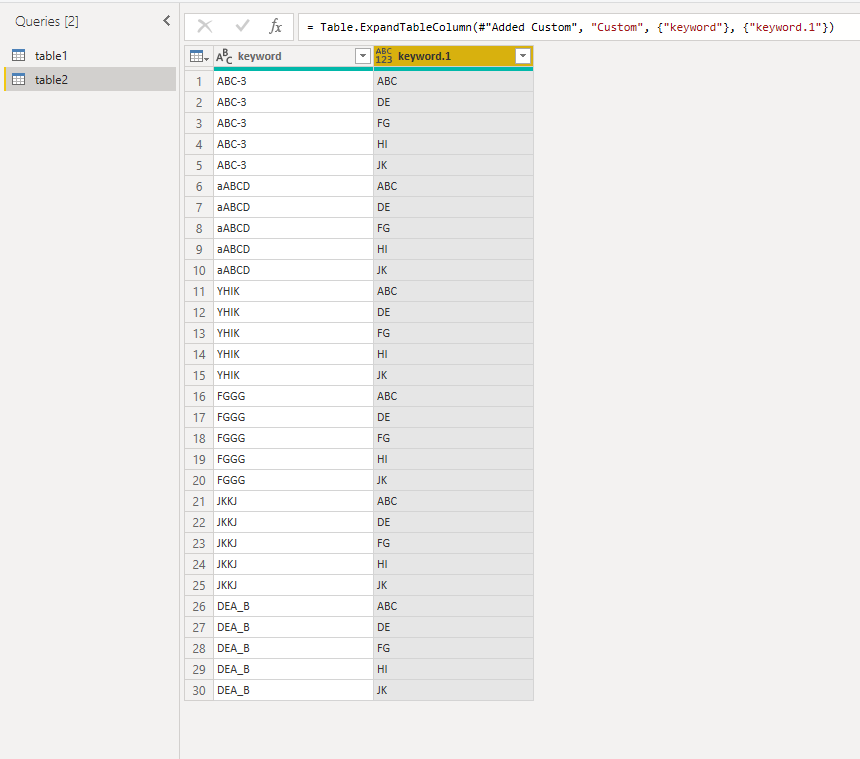
2.Expand the column you want to match.

vstephenmsft_1-1659515588324.pngvstephenmsft_2-1659515596827.png

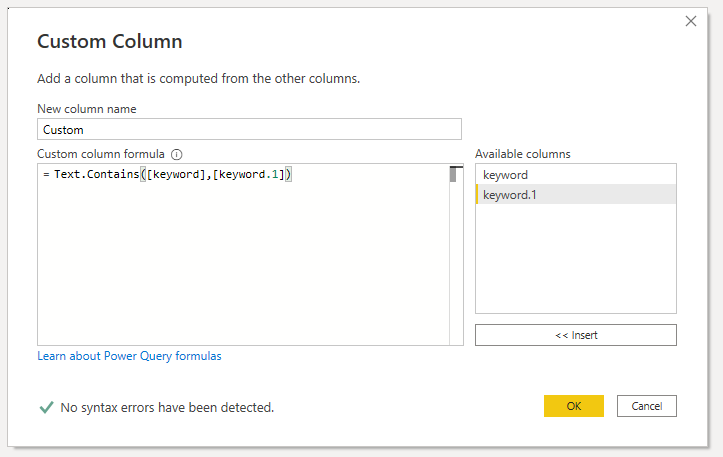
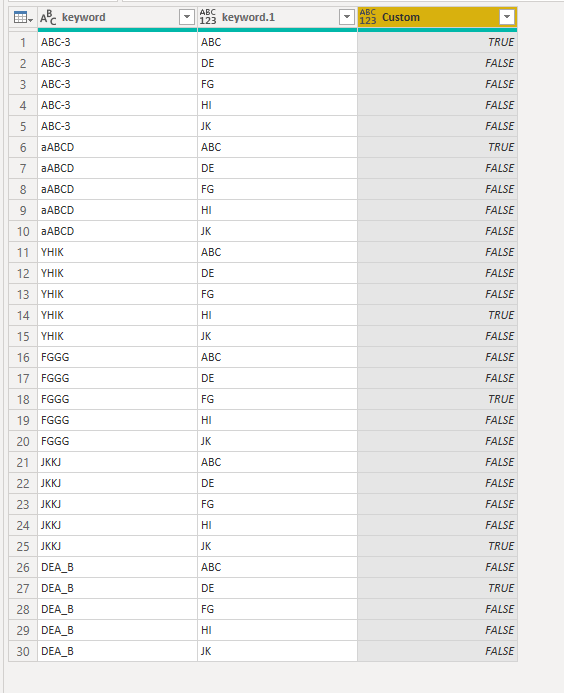
3.Add a custom to match values.

vstephenmsft_3-1659515644099.png

vstephenmsft_4-1659515651788.png

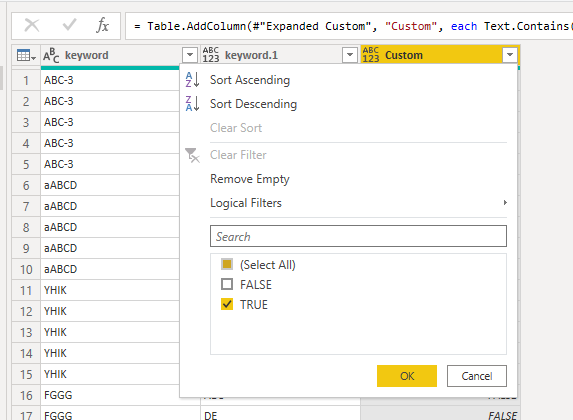
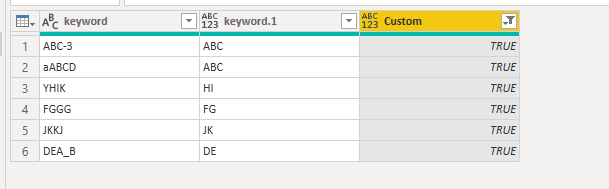
4.Filter out the true value to get the final result.

vstephenmsft_5-1659515723895.png

vstephenmsft_6-1659515731651.png


Best Regards,

Stephen Tao


If this post helps, then please consider Accept it as the solution to help the other members find it more quickly.


View solution in original post

3 REPLIES 3
Anonymous
Not applicable

Hi @Parco ,


Here's my solution.

1.Add a custom column to insert the table2.

vstephenmsft_0-1659515559933.png

2.Expand the column you want to match.

vstephenmsft_1-1659515588324.pngvstephenmsft_2-1659515596827.png

3.Add a custom to match values.

vstephenmsft_3-1659515644099.png

vstephenmsft_4-1659515651788.png

4.Filter out the true value to get the final result.

vstephenmsft_5-1659515723895.png

vstephenmsft_6-1659515731651.png


Best Regards,

Stephen Tao


If this post helps, then please consider Accept it as the solution to help the other members find it more quickly.


AlexisOlson
Super User
Super User

Here's another possibility.

(row) => List.First(List.Select(table2[Keyword], each Text.Contains(row[Text], _)))

This takes the list of keywords (table2[Keyword[), selects the keywords that are contained in the text from the current row of table1, and then takes the first element of that list (if it exists).


Full sample query (referencing table2 with a column [Keyword]):

let
    Source = Table.FromRows(Json.Document(Binary.Decompress(Binary.FromText("i45WcnRy1jVWitWJVkoEMl3ArEgPT28ww83d3R3M8PL29gIzXFwd453ALJBqVzeIdERklFJsLAA=", BinaryEncoding.Base64), Compression.Deflate)), let _t = ((type nullable text) meta [Serialized.Text = true]) in type table [Text = _t]),
    #"Added Custom" = Table.AddColumn(Source, "Custom", (row) => List.First(List.Select(table2[Keyword], each Text.Contains(row[Text], _))), type text)
in
    #"Added Custom"


Vijay_A_Verma
Super User
Super User

Let's assume that column is named Data in both tables. Then in a custom column in Table2, you can put following formula


= try Table1[Data]{List.PositionOf(List.Transform(Table1[Data],(x)=>Text.Contains([Data],x)),true)} otherwise null


See the working here - Open a blank query - Home - Advanced Editor - Remove everything from there and paste the below code to test


let
    Source = Table.FromRows(Json.Document(Binary.Decompress(Binary.FromText("i45WcnRy1jVWitWJVkoEMl3ArEgPT28ww83d3R3M8PL29gIzXFwd452UYmMB", BinaryEncoding.Base64), Compression.Deflate)), let _t = ((type nullable text) meta [Serialized.Text = true]) in type table [Data = _t]),
    #"Added Custom" = Table.AddColumn(Source, "Result", each try Table1[Data]{List.PositionOf(List.Transform(Table1[Data],(x)=>Text.Contains([Data],x)),true)} otherwise null)
in
    #"Added Custom"


Helpful resources

Announcements
Power BI DataViz World Championships

Power BI Dataviz World Championships

The Power BI Data Visualization World Championships is back! Get ahead of the game and start preparing now!

December 2025 Power BI Update Carousel

Power BI Monthly Update - December 2025

Check out the December 2025 Power BI Holiday Recap!

FabCon Atlanta 2026 carousel

FabCon Atlanta 2026

Join us at FabCon Atlanta, March 16-20, for the ultimate Fabric, Power BI, AI and SQL community-led event. Save $200 with code FABCOMM.

Top Solution Authors