Join us at FabCon Atlanta from March 16 - 20, 2026, for the ultimate Fabric, Power BI, AI and SQL community-led event. Save $200 with code FABCOMM.
Register now!Vote for your favorite vizzies from the Power BI Dataviz World Championship submissions. Vote now!
Hello everyone,
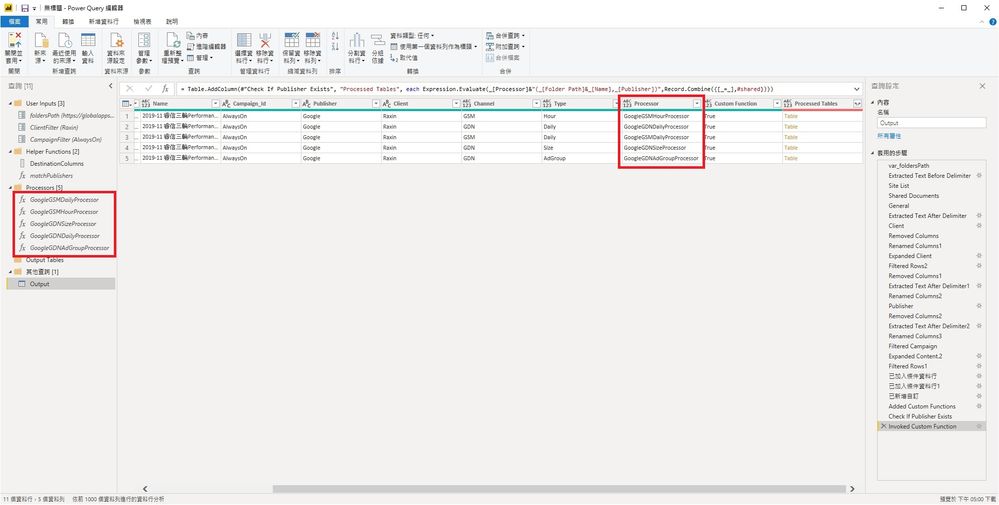
I would like to add a new column using pre-made functions with 2 parameters, and the name of functions are in a column.
I used Expression.Evaluate + Record.Combine to accomplish so previously. However, as #shared only works in Power Query but does not work in Power BI, I need other solutions.
Could someone please help me with the correct M expression?
Thank you so much for your time and help.
Just found others' solution.
First, turn the functions that I need into a list then use that list.
var_Shared = #shared,
ProcessorFunctionNames = List.Select(Record.FieldNames(var_Shared),each Text.EndsWith(_,"Processor")),
Result = List.Transform(ProcessorFunctionNames, each _ & " = " & _ & ","),
Original expression:
Expression.Evaluate( _[Processor] & "( _[Folder Path] & _[Name] , _[Publisher] )", Record.Combine({[_=_],#shared}))
New expression:
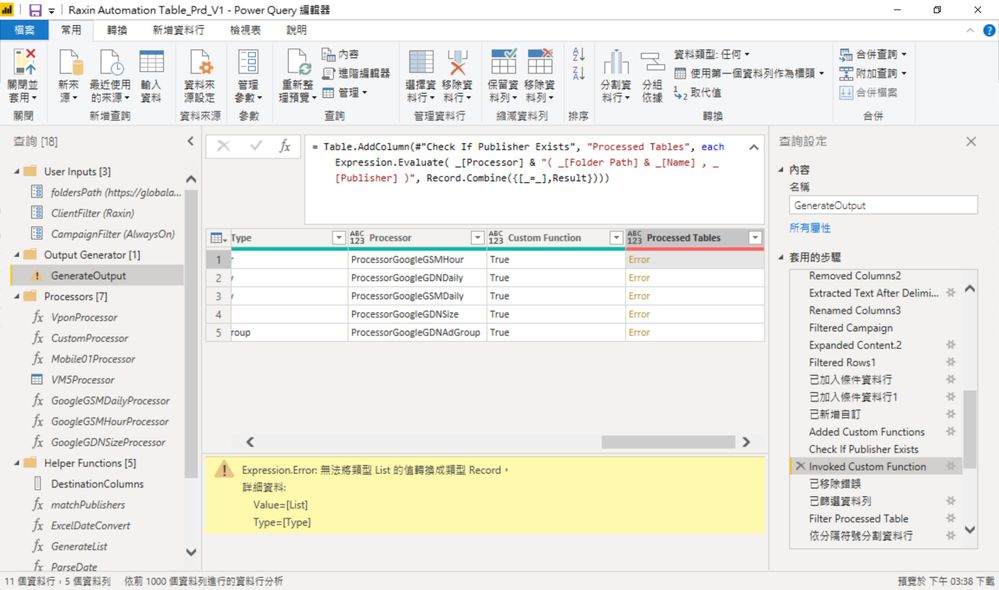
Expression.Evaluate( _[Processor] & "( _[Folder Path] & _[Name] , _[Publisher] )", Record.Combine({[_=_],Result}))
However, I am getting an expression error "Cannot turn values of List type into Record type.
Could anyone please help me with this line? Thank you very much.
Vote for your favorite vizzies from the Power BI World Championship submissions!
If you love stickers, then you will definitely want to check out our Community Sticker Challenge!
Check out the January 2026 Power BI update to learn about new features.
| User | Count |
|---|---|
| 16 | |
| 12 | |
| 9 | |
| 7 | |
| 6 |