Join us at FabCon Atlanta from March 16 - 20, 2026, for the ultimate Fabric, Power BI, AI and SQL community-led event. Save $200 with code FABCOMM.
Register now!Vote for your favorite vizzies from the Power BI Dataviz World Championship submissions. Vote now!
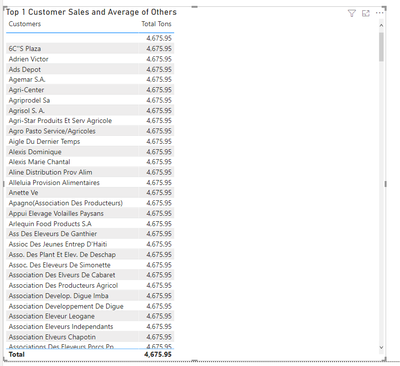
Hello Trying to get a top n and others calculation going on for some visuals I created a calculated table to get distinct names from a client table using this
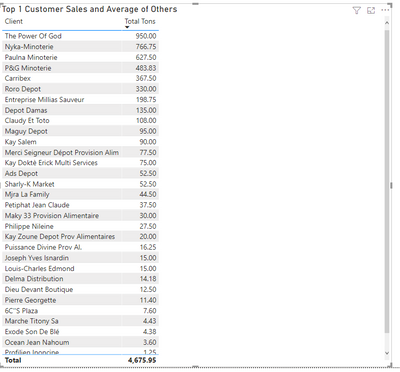
How can i fix this? the client type table has a relationship with the sales values table if I use the customer names from the client Type table I have no problems the only thing I don't have a "Others"row
Solved! Go to Solution.
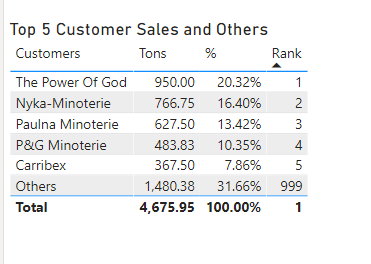
This woks but not what I was looking for since I am crating a top n with an "Others" row. I found the solution by creating another measure:
Thanks for your help!!
Hi @Anonymous ,
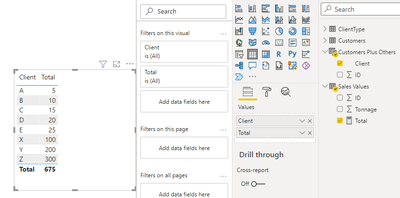
If not want to use the relationship in the previous table, you can create the calculated table like this:
Customers Plus Others = UNION('ClientType','Customers')
Create the total measure:
Total =
CALCULATE (
SUM ( 'Sales Values'[Tonnage] ),
FILTER (
'Sales Values',
'Sales Values'[ID] IN DISTINCT ( 'Customers Plus Others'[ID] )
)
)
Best Regards,
Community Support Team _ Yingjie Li
If this post helps, then please consider Accept it as the solution to help the other members find it more quickly.
This woks but not what I was looking for since I am crating a top n with an "Others" row. I found the solution by creating another measure:
Thanks for your help!!
This woks but not what I was looking for since I am crating a top n with an "Others" row. I found the solution by creating another measure:
Thanks for your help!!
@Anonymous See if this works.
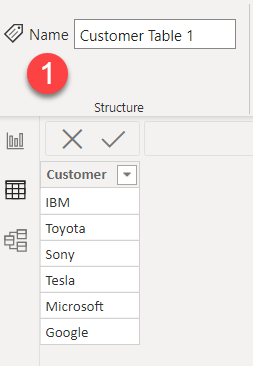
Table # 1
Table # 2
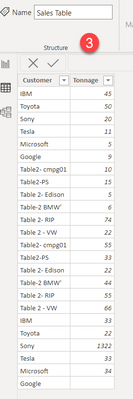
Table # 3 (Sale Fact)
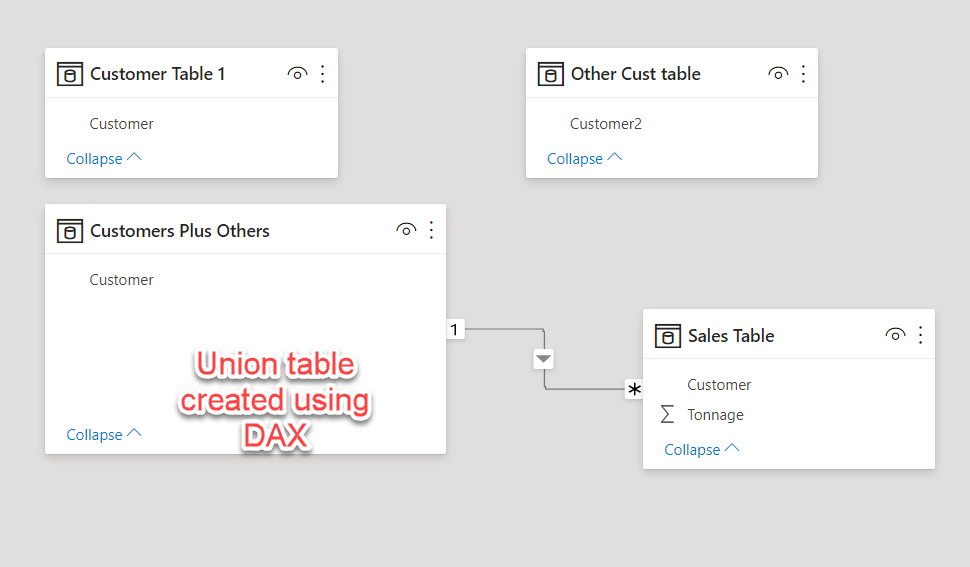
Union Table (DAX)
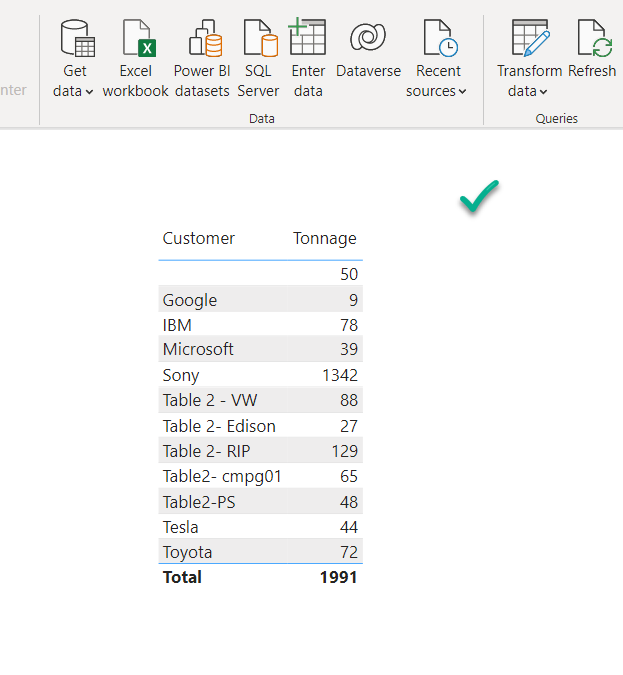
Result
If this post helps, then please consider Accepting it as the solution, Give Kudos to motivate the contributors.
Vote for your favorite vizzies from the Power BI World Championship submissions!
If you love stickers, then you will definitely want to check out our Community Sticker Challenge!
Check out the January 2026 Power BI update to learn about new features.
| User | Count |
|---|---|
| 12 | |
| 11 | |
| 7 | |
| 7 | |
| 6 |