This time we’re going bigger than ever. Fabric, Power BI, SQL, AI and more. We're covering it all. You won't want to miss it.
Learn moreDid you hear? There's a new SQL AI Developer certification (DP-800). Start preparing now and be one of the first to get certified. Register now
Hey everyone,
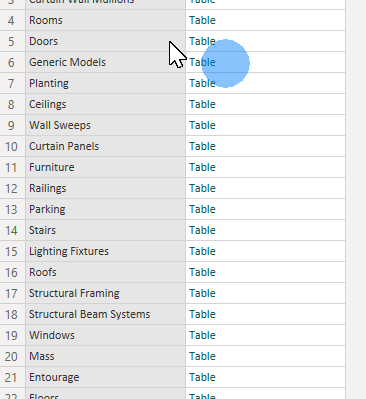
First time here. I looked for an answer in the community but couldn't find it. I have received a data from an external database in Power BI. Received data is as a flat list of records. I grouped these records by their 'category' attribute. Because each record belonging to the same category have the same record structure. So it makes sense to have them as a separate tables. To come to my question: Now I have a table with one column being the category names, the second column being the data itself.
I want to convert each of these tables into separate queries. I can do so by right clicking on tables, and selecting "Add as New Query" option but this is not very future proof. Because. once my data gets updated, I might have more categories. And manually converting tables as new queries can be time consuming once I have more than 30 rows.
So question is, is there a way to automate this process? Convert each table value in "all_data" column and add them as a new query?
Any help is welcome. Thanks!
Solved! Go to Solution.
Hi @bilalg
I'm afraid it is not possible to add new queries from table values in a column of an existing query automatically. New queries can only be added manually at present.
Best Regards,
Community Support Team _ Jing
If this post helps, please Accept it as Solution to help other members find it.
Hi @bilalg
I'm afraid it is not possible to add new queries from table values in a column of an existing query automatically. New queries can only be added manually at present.
Best Regards,
Community Support Team _ Jing
If this post helps, please Accept it as Solution to help other members find it.
Check out the April 2026 Power BI update to learn about new features.
Sign up to receive a private message when registration opens and key events begin.
If you have recently started exploring Fabric, we'd love to hear how it's going. Your feedback can help with product improvements.