Don't miss your chance to take the Fabric Data Engineer (DP-600) exam for FREE! Find out how by attending the DP-600 session on April 23rd (pacific time), live or on-demand.
Learn moreNext up in the FabCon + SQLCon recap series: The roadmap for Microsoft SQL and Maximizing Developer experiences in Fabric. All sessions are available on-demand after the live show. Register now
How to make this jason work in powe bi?
{"root":[{"catchCount":127,"DisplayName":"Forward to Diagnostics Team","SeriesName":"Alarm Category"},{"catchCount":2684,"DisplayName":"Retrain Model","SeriesName":"Alarm Category"},{"catchCount":15,"DisplayName":"True Alarm","SeriesName":"Alarm Category"},{"catchCount":213,"DisplayName":"Contact Plant","SeriesName":"Alarm Classification"},{"catchCount":9,"DisplayName":"Contact Support","SeriesName":"Alarm Classification"},{"catchCount":2599,"DisplayName":"Monitor","SeriesName":"Alarm Classification"},{"catchCount":4,"DisplayName":"Schedule Maintenance","SeriesName":"Alarm Classification"},{"catchCount":204,"DisplayName":"Electrical Problem","SeriesName":"Alarm Clear"},{"catchCount":9,"DisplayName":"Historian Offline","SeriesName":"Alarm Clear"},{"catchCount":2608,"DisplayName":"Mechanical Problem","SeriesName":"Alarm Clear"},{"catchCount":2,"DisplayName":"Network Problem","SeriesName":"Alarm Clear"},{"catchCount":9,"DisplayName":"Stuck Valve","SeriesName":"Alarm Clear"}]}
thanks
Solved! Go to Solution.
Here's a video stepping through the sample. The most important two parts are:
1) once you get to the step that shows "Record" for every list item, convert it to a table
2) expand using the double arrows at the top of Column
Thank you
Hi @Markzolotoy,
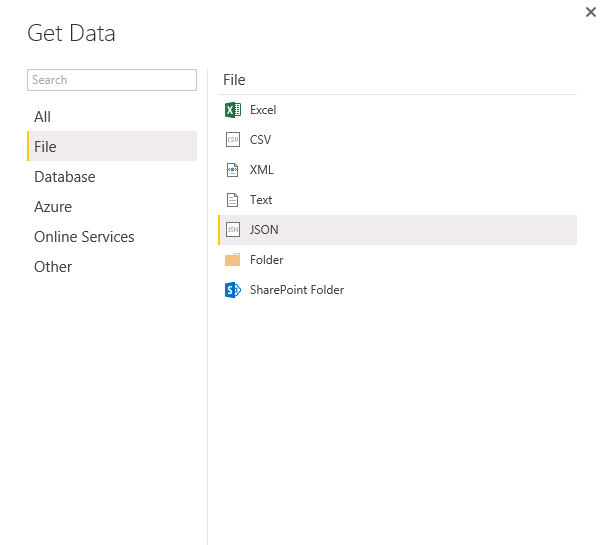
Have you tried to connect to the JSON file via Get Data>File>JSON in Power BI Desktop?
Also you can use Get Data > Web and enter the URL (or local path) to the JSON file to connect it. For more details, please review the following blog and similar thread.
https://eriksvensen.wordpress.com/2014/09/15/specifying-json-query-in-power-query-example-statistics...
http://superuser.com/questions/977249/loading-a-json-file-into-power-query/977376#977376
Thanks,
Lydia Zhang
I know how to point PBI to json. I am asking what kind of tweaks are required to get shown example to be interpreted properly.
Here's a video stepping through the sample. The most important two parts are:
1) once you get to the step that shows "Record" for every list item, convert it to a table
2) expand using the double arrows at the top of Column
Yes, very helpful. I got it working when I use a local json file. But if I am trying to get data from a webservice I am not getting into the same steps. Specifically I dont have a screen with List to click on. can you please help
Thanks
If you have recently started exploring Fabric, we'd love to hear how it's going. Your feedback can help with product improvements.
A new Power BI DataViz World Championship is coming this June! Don't miss out on submitting your entry.
Share feedback directly with Fabric product managers, participate in targeted research studies and influence the Fabric roadmap.
| User | Count |
|---|---|
| 5 | |
| 3 | |
| 3 | |
| 3 | |
| 2 |