Don't miss your chance to take the Fabric Data Engineer (DP-600) exam for FREE! Find out how by watching the DP-600 session on-demand now through April 28th.
Learn moreJoin the FabCon + SQLCon recap series. Up next: Power BI, Real-Time Intelligence, IQ and AI, and Data Factory take center stage. All sessions are available on-demand after the live show. Register now
I want to make a Table with a conditional cell background color, like if the cell value is greater then 6 it colors turn red else green.
Thanks in advance.
Don't worry, you posted in the right section - its certainly a Power BI development quandry.
The only way I have done this before is using a custom visual that uses JQuery in its update function to re-style the cells in the out of the box table visual based off of their value.
Alternatively, you can create your own table visual using just javascript to generate the HTML elements from a table dataview, or use d3.
-Alex Potter
@Anonymous, I guess we could both be right. I was interpretting this as a question about such functionality in native table visualizations in PBI.
Creating a custom visual is certainly an option as well (:
@Anonymous @greggyb Could you guys please help me out. I am very struck in an issue.
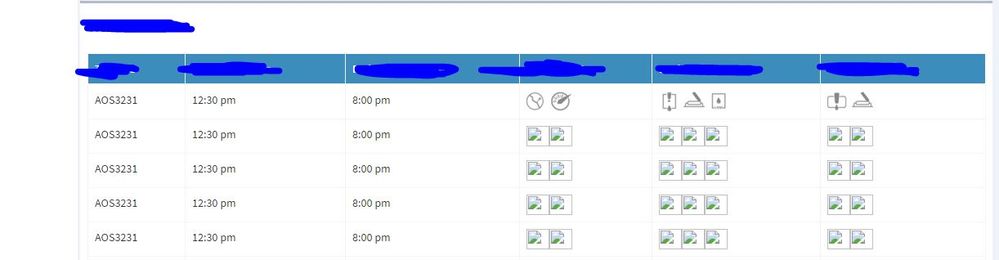
I need to draw a table have some images columns. Has somebody already made this custom visual or do I need to create custom. If I need to create a new custom how can I do that? Please check the below attachment
Thanks
Check out the April 2026 Power BI update to learn about new features.
If you have recently started exploring Fabric, we'd love to hear how it's going. Your feedback can help with product improvements.
A new Power BI DataViz World Championship is coming this June! Don't miss out on submitting your entry.
| User | Count |
|---|---|
| 2 | |
| 1 | |
| 1 | |
| 1 | |
| 1 |