This time we’re going bigger than ever. Fabric, Power BI, SQL, AI and more. We're covering it all. You won't want to miss it.
Learn moreLevel up your Power BI skills this month - build one visual each week and tell better stories with data! Get started
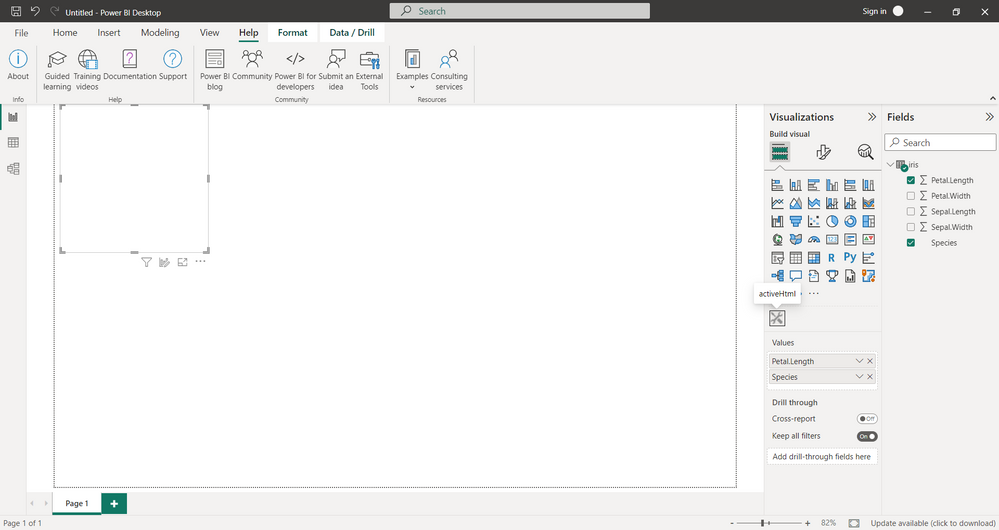
I tried using dygraph and plotly , but they give me any error or graph.
I used this: https://radacad.com/interactive-map-using-r-and-power-bi-create-custom-visual-part-1
If the chart is made non-interactive, then everything works.
Help me please!
what's the error message? Are you trying to plot to a non-standard output device?
I want to plot a simple interactive graph in power BI only.
I use:
rhtml template
"pbiviz package" does not throw errors
in power BI I have no errors, but and the graph is not visible too
How can i do this? I just used the template example. It says in the reviews that it works without any changes. Thanks a lotHow can I do this? I just used the "rhtml" template. It says in the reviews that it works without any changes. Thanks a lot
That would be a question for whoever wrote the reviews.
Check out the April 2026 Power BI update to learn about new features.
Sign up to receive a private message when registration opens and key events begin.
If you have recently started exploring Fabric, we'd love to hear how it's going. Your feedback can help with product improvements.
| User | Count |
|---|---|
| 4 | |
| 2 | |
| 1 | |
| 1 | |
| 1 |