cancel
Showing results for 
Search instead for 
Did you mean: 

July 7 - July 17 | Round 2 of the Power BI Dataviz World Championships. Don't miss your chance! Learn more

Reply
StevieBleeds
New Member

Using PowerShell and the REST API to store raw JSON

Hey there,


Hoping someone can point me in the right direction please? I've been trying to figure out how to dump the contents of a URI (https://reports.office.com/pbi/v1.0/<tenantid>/TenantProductUsage) into a JSON file using an Azure Runbook.


I've created a Power BI app registration and have tried using that to create the authorisation token, but all I'm getting is an error where the contents of a browser instance are being returned showing that cookies are disabled and not the raw JSON data.


I can navigate to the URI using a browser, authenticate and see the raw JSON, I just can't seem to stream the data.


Here is the PowerShell


[Net.ServicePointManager]::SecurityProtocol = [Net.SecurityProtocolType]::Tls12

# Token credentials
$tenant="<tenant>.onmicrosoft.com" 
$clientID="" 
$clientSecret=''
$token=$null
       
# Create access token
$Token = Invoke-RestMethod -Uri https://login.microsoftonline.com/$tenant/oauth2/token?api-version=1.0 -Method Post -Body @{"grant_type" = "client_credentials"; "resource" = "https://graph.microsoft.com/"; "client_id" = $ClientID; "client_secret" = $ClientSecret}

$Headers = @{
    'authorization'="Bearer $($Token.access_token)"
}

#SPECIFY WHICH ENDPOINT TO QUERY
$uri = 'https://reports.office.com/pbi/v1.0/<tenant>/TenantProductUsage'

#CONNECT TO THE GRAPH API USING REST METHOD
$result = Invoke-WebRequest -Headers $headers -Uri $uri -Method Get

#CONVERT THE STREAM RESULT TO AN ARRAY
$resultarray = ConvertFrom-Json -InputObject $result


Any ideas?


4 REPLIES 4
Jayendran
Solution Sage
Solution Sage

Hi @StevieBleeds 

I was trying to reproduce your issue, may i know what were the API Permissions you provided for your Registrated App ?


Hi @Jayendran 


Thanks, I'm using the Power BI Service API with all permissions enabled.

Hi @StevieBleeds ,


I've checked the behaviour, as you mentioned this API is only working in the browser where we have to sign using the Global Admin Account to get the result back in browser.


However when I tried with the App registration, with all PowerBI permissions and also the Graph API->Reports.Read.All I couldn't able to get the response, using the fiddler I always getting Error Code 302 , message=Authorization has been denied for this request.


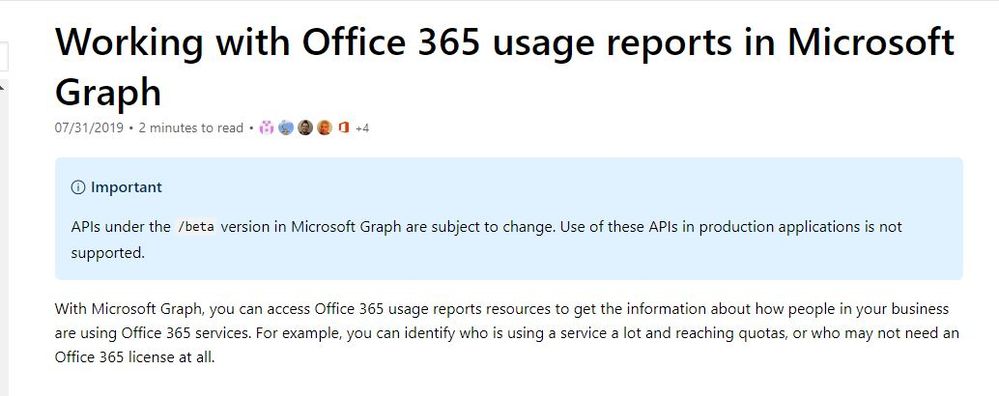
After seeing the official document I came to know that this API is still in BETA and not supported for the production

Capture.JPG

Thanks for investigating, @Jayendran 

Helpful resources

Announcements
FabCon and SQLCon Barcelona 2026

FabCon & SQLCon – Barcelona 2026

Join us in Barcelona for FabCon and SQLCon, the Fabric, Power BI, SQL, and AI community event. Save €200 with code FABCMTY200.

Fabric Community Sticker Design Challenge Barcelona Carousel

Fabric Community Sticker Challenge - Barcelona 2026

If you love stickers, then you will definitely want to check out our community sticker challenge, Barcelona edition!

July Power BI Update Carousel

Power BI Monthly Update - July 2026

Check out the July 2026 Power BI update to learn about new features.

Power BI DataViz World Championships carousel

Power BI DataViz World Championships - June 2026

A new Power BI DataViz World Championship is coming this June! Don't miss out on submitting your entry.